Random Practicals, Thinking About the Friday Challenge and Perfecting Birthday Greeter
Today was a little quieter for me, as I have got as far as I think I can with Battle, and completed the Birthday Greeter project yesterday. This morning I had a look over the last few practicals, which were all very quick. Mainly they showed you something and let you play around with it, rather than making you actually do too much coding.
The first practical showed us how to create a local server. The code was given to us for a basic server which you could run in the terminal. It asked your name, returned it and said goodbye, then closed itself. The last exercise was to create a notebook which ran on a server, and could take notes until you told it to stop. So I created that:
The server is started on a different terminal tab (ruby). Then running ‘nc localhost 2345’ lets us access the server. The guide originally told us to use ‘telnet’ to access the server, but that didn’t work, and some googling revealed that it is no longer supported, and you have to use macOS’s built in ‘nc’ instead. I could have installed a telnet gem but this was easier! The server prints the Enter Notes message, then waits for user input.
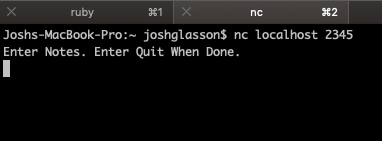
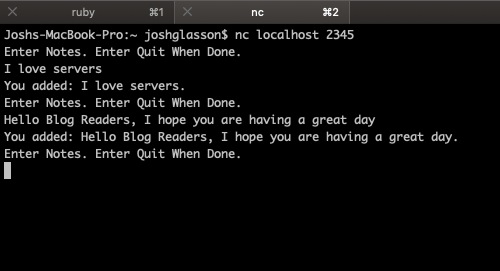
I can add as many notes as I want, the program will keep looping until I enter “quit”.
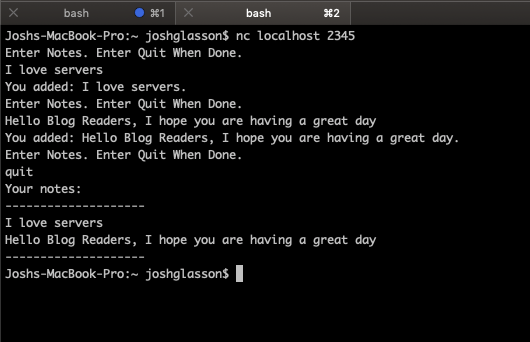
Once I enter quit, it prints my notes out and terminates the server. You can see there is a blue circle next to the first tab where my server was run from, this means something has changed, in this case the server has terminated.
Here is the code for it, fairly simple really. The NoteList class handles all of the actual notebook stuff. The server just runs on a loop until told to stop.
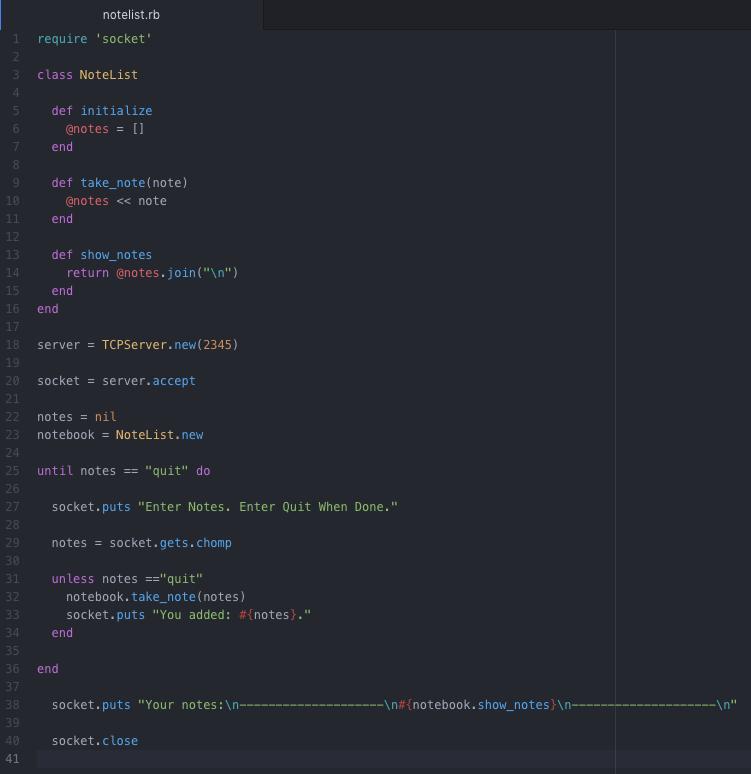
It was quite useful to do this and see how servers work. The next practical was very similar, creating a Client as well as a Server, and getting the two to speak to each other in terminal. The last practical was looking at a http server that you run in your browser instead, and the terminal just prints out what is going on. This was really helpful as you can see all the requests and information that the server receives and returns. One thing in particular that I noticed was the server was receiving a request for a page that I wasn’t sending it. the page was ‘/favicon.ico’, which would return an error as it wasn’t a page on the server. I looked into what this was, and found out that browsers automatically request this page to grab the little icon that goes next to the webpage, like so:

If you go to most modern websites and add /favicon.ico to the URL, you will be taken to a page with just the icon on! Try it if you want https://www.google.com/favicon.ico.
Seeing as I had some time this morning, I also read up on something I had been wondering about. In ruby, when you need a file to look into another file somewhere else, you use require, or sometimes require_relative. I wasn’t sure of the difference though, why you would sometimes use one or the other, so I read up on it. Here is a useful blog post about it, but to summarise:
– require should be used for external files, like gems.
– require_relative should be used for referring to files within your directory.
I started having a look at the Friday challenge too, which is to create a web app Rock, Paper, Scissors game. The game should be played against a computer, but there is a bonus for adding the option to play against another person. I am feeling ok about it at the moment, I feel like everything we have done in battle and birthday greeter has prepared me for this. I thought it would be interesting to write out my current plan and see how my actual program differs, so here it is:
- Home page accepts name, submit takes you to game page
- Name initiates a new Player object in the background.
- Game page has three buttons; Rock, Paper, Scissors (may do as drop down).
- Clicking one takes you to a results page.
- In the background the choice is stored, a random choice is generated by a Computer Player class, the two are compared in a third Game class, and the winner is decided. The page displays the winners name in flashing lights!
- Additional features:
- I think I would like to add a way to keep score, so in the results page you can press rematch and play again, then the overall scores will be displayed. I think that should be fairly do-able with another class, Score. If they don’t want a rematch, pressing quit should take them back to the home page and reset the scores.
- Adding multiplayer should be ok, I can make it so if no player 2 name is entered it runs creates a computer player object, otherwise generate two players and just run the game part twice. Store player 1’s input, go back to the 3 options, store that input as player 2, and compare them.
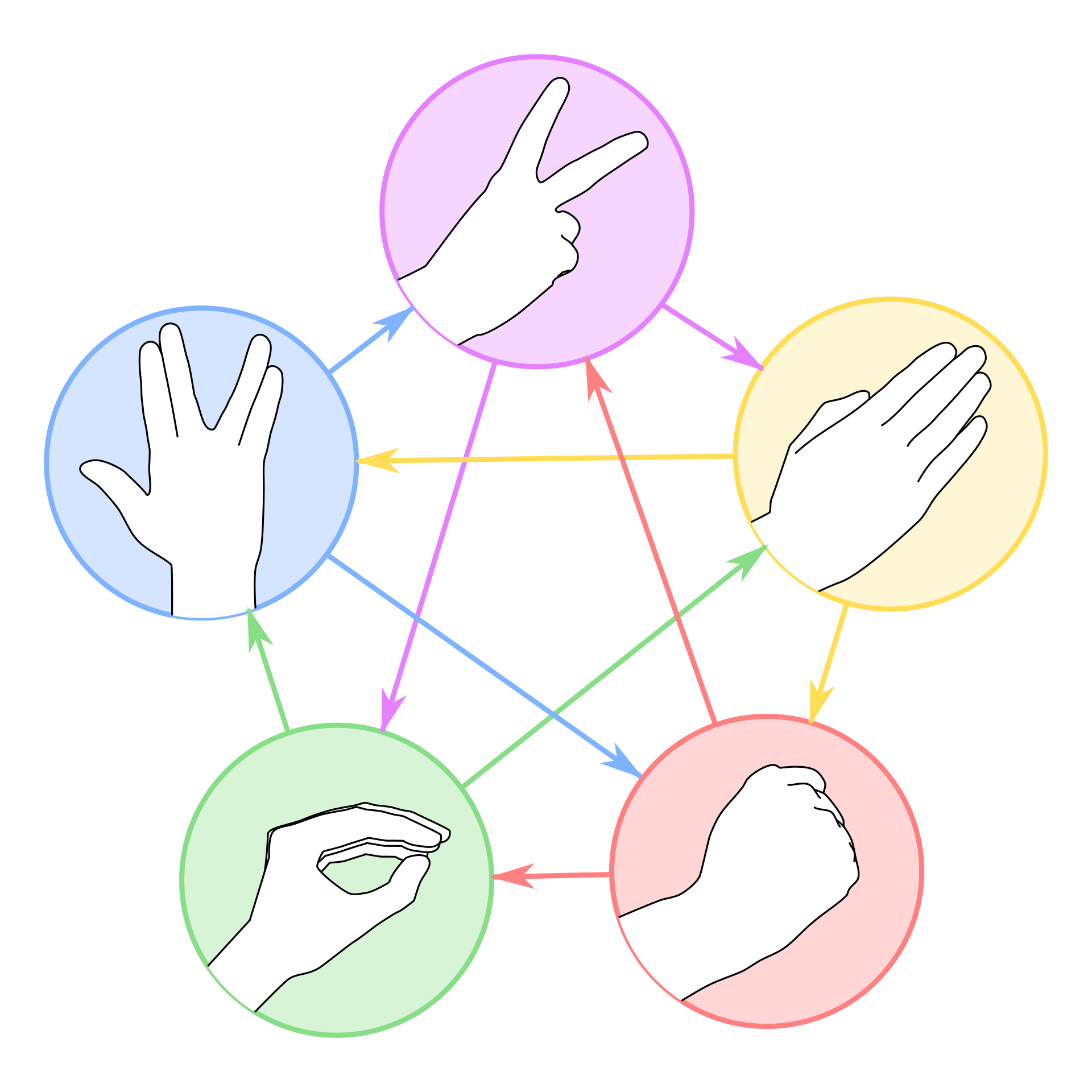
- The second bonus feature is to add ‘Spock’ and ‘Lizard’ to the options. I think it should be easy enough to implement, just need to learn the rules! Here they are for anyone else who doesn’t know:
As I had finished battle I decided to tackle my birthday app again, taking on the challenge of the days not matching months. I decided to re-write how it worked in the background to fix it. Rather than entering day and month separately, I changed my input type to date, which requires dd/mm/yyyy, and only allows actual dates. This solved the problem I had before, but changed everything about how my app actually worked. I rewrote my class to take into account that it was now receiving a string “yyyy-mm-dd” instead of a number and a month name. This made my class a bit more complex, but I was able to get rid of my day class and contain it all in the Birthday class instead. It also meant that now I had a year input, so I could figure out age as well as an added feature. Another issue caused by this change was that now a user could input a date in the future, which of course is not possible. There was no way to set the max value of the form so instead I added an ‘if’ in, which directed the to an error if the date was in the future:

I also added a special page for if the person entered todays date:

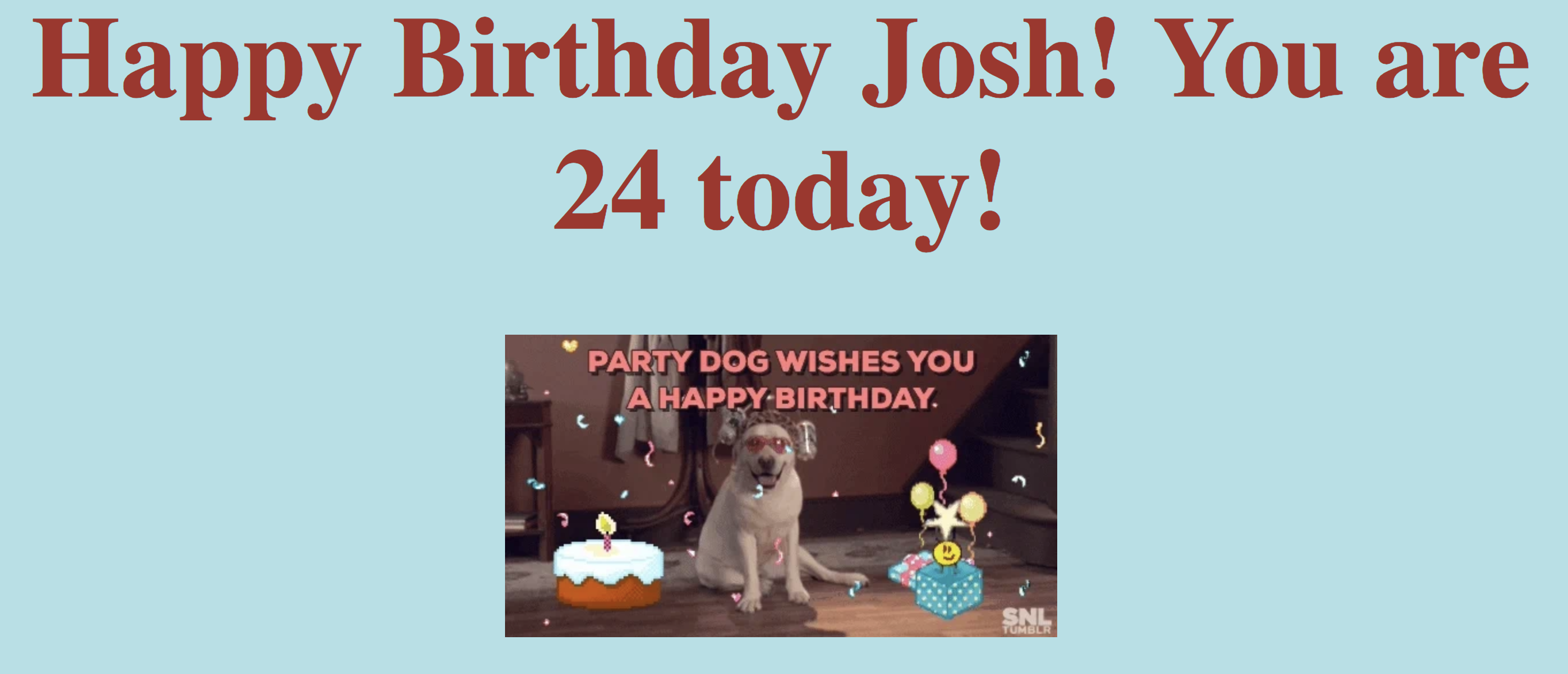
I also added a gif to the birthday page to make it extra awesome. If your birthday is today (with a previous year) it will show you this:
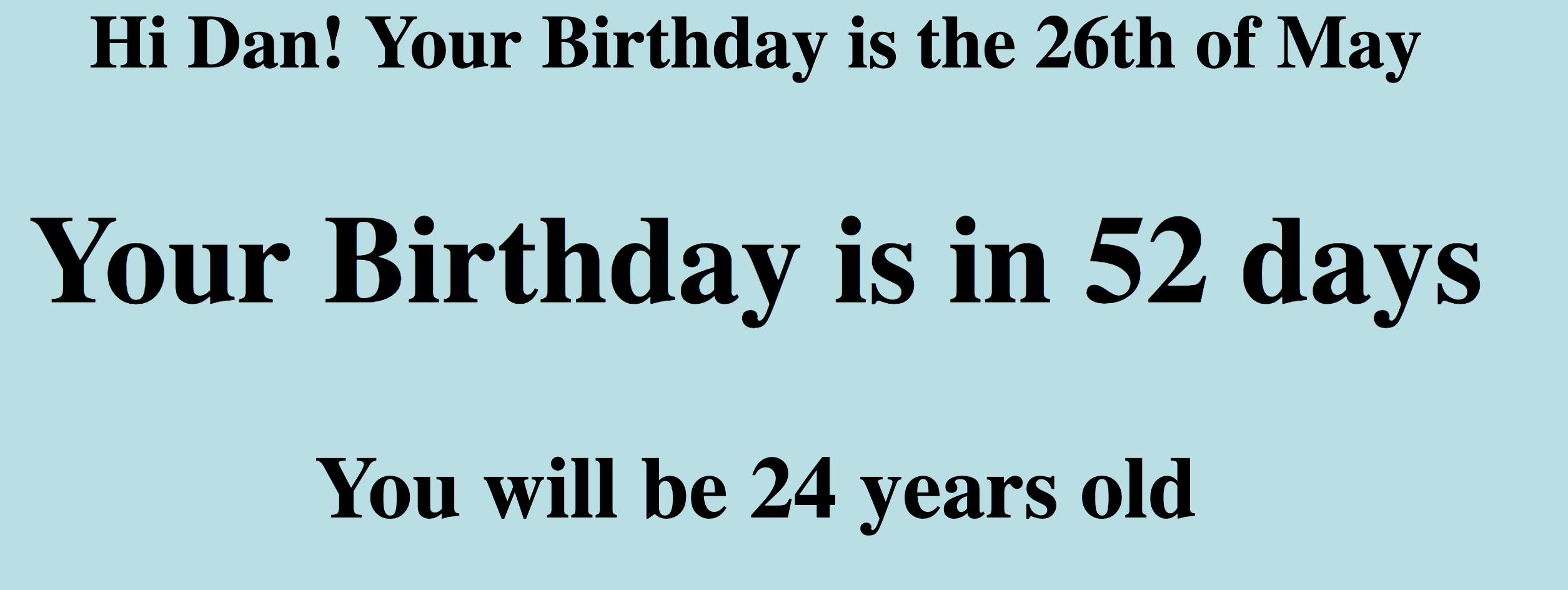
And finally this if your birthday isn’t today:
I am very happy with how it works now, I don’t know how else I would improve it! I added more tests since I added more features, they all pass, and my coverage is 100%!
One of the coaches sent us a link to a bunch of programming quotes, this one is definitely my favourite!
“Debugging is like being the detective in a crime movie where you are also the murderer.”
@fortes
Todays song of the day is: