

Now that I am finished, here is a quick guide to completing the apprenticeship based on my experiences.
Bootcamp
My time at Makers Academy was very enjoyable. I learned so much and met some great people. I will say it took everyone in the group some time to start being comfortable with eachother and really communicate, but by the end we were all happy working together. I imagine that other bootcamps would be different, so my generic advice on this is to just write as many notes as you can. For me this came in the form of the daily blog. Doing the blog allowed me to recap what I had learned that day, and in trying to write it down I often had to do further research into things which helped compound my knowledge.
Writing a blog won’t be for everyone, but just writing notes for yourself is good enough. I wrote a blog post on writing good notes, which might be useful.
Also I would occasionally create copies of projects we had done in class that day and try little extra things, or change certain bits, to try and expand my knowledge. One example was on one of the first days, we created a web page where you could pick a picture of a cat and name the cat by submitting a form to add text to it. I made my own version which was a meme generator, where you could search for anything in google images and add text at the top and bottom. It was simple, just about worked, but it did help me putting what I had learned to the test.
Placement
It is hard to give advice on the placement as all of them will be different. If you have got onto the apprenticeship and completed the bootcamp, I imagine you will do fine in the placement. I could say the obvious stuff like ask lots of questions and do lots of research, but it probably isn’t necessary.
I will say however, it would be good to sit down with your manager early on in the placement to discuss the timings of when you are going to work on your apprenticeship. That could be a full day a week that you dedicate to writing your portfolio, revising for exams, or just doing further research, or it could be an hour a day. Either way, you need that time, and it should be happening during work hours. The beauty of the apprenticeship is that you have to do that stuff during work time.
It can also be difficult to get yourself to do this even if your employer agrees, I often felt like I was learning so much in my daily work that I didn’t want to stop to learn new stuff for my apprenticeship. This meant I left all my exams until the last month of my apprenticeship, leaving no room for error. DON’T DO THIS! It is so much better to spread that stuff out.
Portfolio
Throughout the employer placement part of the apprenticeship, about 9 months, we had to complete a portfolio of work to show that we were able to meet 18 standard points. We were given lots of different information on how to write these, so I will only mention the final version and what worked best for me.
I found that the easiest way to do the portfolio was to write it like a story as you did the work. If I started on a bit of work which I felt would be valuable to my portfolio, I would start taking notes on everything that I did, the conversations I had, the code I changed and research I did. I would also take screenshots along the way.
I think that is the most important thing, screenshot as much as you can while you are doing the work. Some stuff such as code changes can be screenshotted from GitHub at a later point, but lets say you spend an hour debugging code using a debugger, and making little changes to identify and fix an issue, there is no way to show that after the fact. Of course you can recreate it (which I did do sometimes), but having the screenshots from the time makes it much easier. It also makes it easier to do the write up as you have more visual reminders of what you were doing.
Once you finish the work, start working on the full write up as soon as possible while it is still fresh in your mind. If you have written lots of notes throughout the project, it might just be a case of touching them up and connecting them into a cohesive write up. Add the screenshots in at points where you mention the work. When writing the full write up, keep the standard points in mind and try to include the language used in the points in your writing where possible. You shouldn’t specifically say in “This shows I have achieved Point 2”, but you should allude to that in the writing, like “I did some customer research in order to develop an effective user interface”.
When adding screenshots into your write up, make sure to annotate each one with a caption. The caption should include a figure number so the reader can remember and refer back to them easily, and a brief description of what is in the image. The image itself should be as focussed as possible. Don’t screenshot the whole screen if you are only referring to one line of code, as it is then harder for the person reading it to see what you are trying to show.
In terms of the structure of the write up, I tried to seperate it into clear parts, which are the parts of the Software Development Lifecycle.
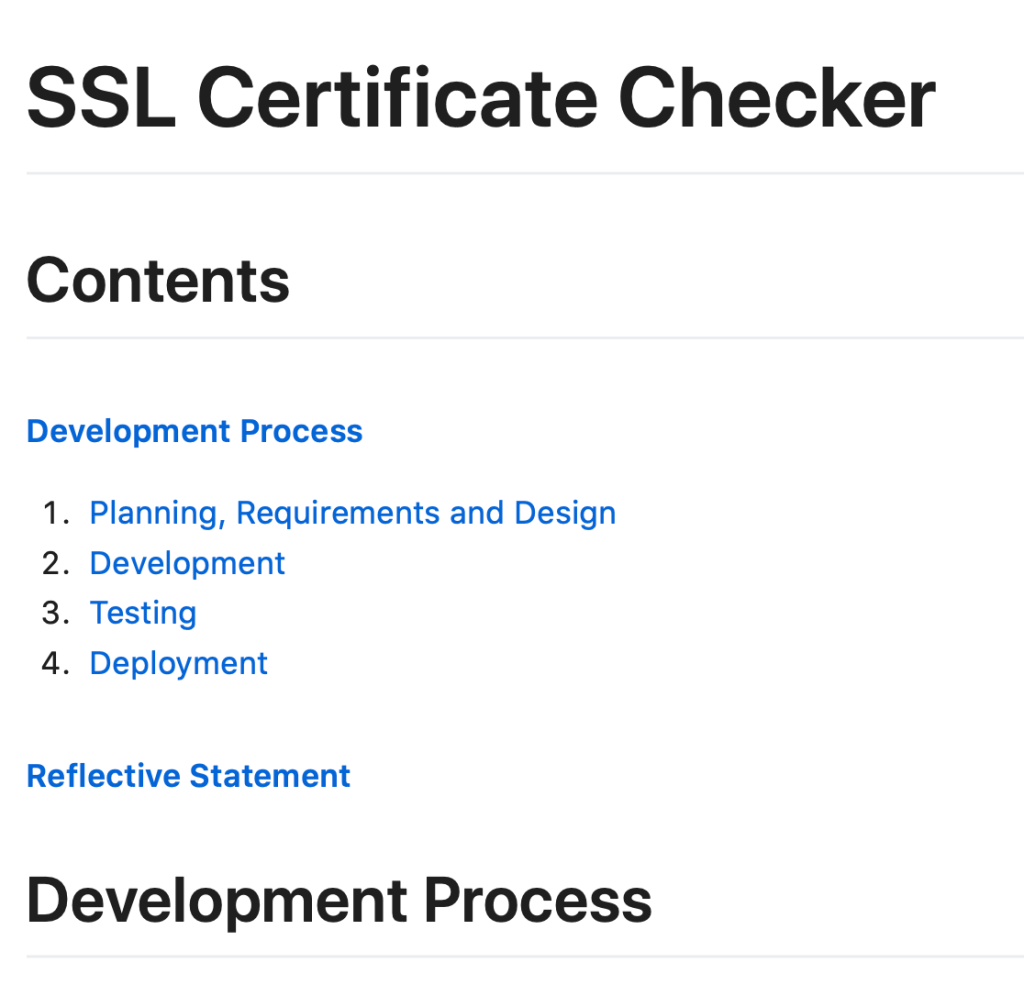
On top of your portfolio of work, you should create a front page. The front page doesn’t need to be long, it really only needs three parts:
- About Me
- About My Company
- About My Portfolio
About Me is just a quick introduction to you, your experience, and why you joined the apprenticeship.
About My Company is a short introduction to the company you are doing your placement in, and the specific team you have joined. Try to mention the work your team does so the reader knows how they, and therefore you, fit into the business.
About My Portfolio for me was just a list of the submissions I was making, along with a couple of sentences on how I thought I had covered every point with them.
Vendor Qualification
I picked the Microsoft 70-480 qualification, which focussed on HTML, CSS and JavaScript. None of these were applicable to my role, however I felt they had the most resources and support, and would take the least amount of time to learn. In retrospect I would have probably done the Java exam which would have been way more helpful to my career development, and would have started earlier.
My advice would be to try and pick a qualification that would actually be helpful and that you may be able to pick up through your work anyway. I was learning so much about Java at work, that I am sure would have been really useful in a Java qualification. If there are no relevant qualifications, the 70-480 is definitely your best bet. I did learn some interesting stuff which has been helpful for me in little personal projects, and I was able to pass with only a month worth of research and revision. I wrote a blog post on what I learned and the areas that caught me out on the 70-480 exam, which might be helpful to anyone else undertaking the exam.
Knowledge Module
The knowledge module was pretty quick and straightforward. Makers Academy provided me with an hour long video to explain the concepts, and a single mock paper. Pretty much everything was covered in the video, I found the only things I had to research was more details on Software Development Methodologies such as V-Model. Again I wrote a separate blog post on this which will hopefully help.
There isn’t much more to say on this, it is fairly quick to learn what you need. I think if I were to do the apprenticeship again I would try and get this out the way earlier, as I completed it about 2 weeks before I was due to enter gateway! You don’t need much job experience to help you in the test, some knowledge of how your company works is probably enough to help you through.
Employer Reference
For the employer reference, I found it easiest to go through it myself and think of examples for each point where I thought I had achieved what was required. I then put in time with my manager to go talk through the examples and make sure they agreed and would be happy to sign off each point. They also came with examples and questions which helped refine the reference.
For this there is not much more you can do, but I think managing it yourself is the best way to approach it. I was lucky to have a very supportive manager, but that might not always be the case, so being in a position where you can have the reference ready to effectively just being signed off by your manager is the easiest way to go.
Gateway
Gateway is pretty simple, assuming you have completed all the prior elements of the apprenticeship, you pass through gateway with no issues. At this point you select your synoptic project.
Synoptic Project
The synoptic project is like the final exam of the apprenticeship. You are given 5 days to work on a project based on a brief. You are given the basic brief when you choose your project, then a more detailed brief on the day you start your project. You are free to Google during the 5 days, and can use any tools and tech you want, but you cannot communicate with others.
There are two bits of documentation you have to complete as part of the project.
The first is a user guide for the project, in the README file. This should include details of what it is and any information required to run it. For example in mine I had some things running in Docker images, so prior to using it you would have to run ./graldew build_docker. You will see this kind of documentation on pretty much any GitHub repo for tools that you use, so that should give you a bit of reference.
The second bit of documentation is a write up of your deliverables, again this is mentioned in the Software Development Lifecycle. This write up is essentially a smaller version of what you had already been doing in your portfolio. These are the headers I used in my write up:
- Summary
- Planning
- Requirements Analysis
- Design
- Implementation
- Testing
- Evaluation
I started with the summary of what the project was, which is basically just a copy of the headline from the brief.
Then I had a section on planning. Mine included a breakdown by day of what I wanted to achieve, and also a plan of what technology I wanted to write my project in.
In the Requirements Analysis, I included the list of requirements from the brief, and talked through how I interpreted them. I included a screenshot of a Trello board which included story cards written based on the requirements. I also included a section on any Assumptions I had made. For example the brief mentioned collecting peoples names, but didn’t mention if it had it had to be first name, last name, or both, so I assumed both. I think there is a fair bit of flexibility on the project, as long as you state what you have assumed and have a good reason for it.
My Design section included a drawing of my project structure and a data model to show the relationship between my data tables. I redid these at the end of the project to reflect what it actually ended up being, and replaced the originals. You could keep both and explain the differences and why, but I didn’t do that. I also talked about what language I was using, the testing framework, and anything else, such as Docker.
Implementation for me was about how I had written the project. I had several subheadings in here. I talked about using git branches to managed adding features, and merging them on GitHub via pull requests. I also included a section on integrating GitHub Actions to test my builds. I included a list of endpoints, which included what they did and what information they required. Finally I added a section on Swagger, which I had added to my project to allow users to see all the endpoints and test them out.
In the Testing section I talked about why I picked my test framework, and included screenshots of tests all passing, which showed the amount I had written. I also talked about using the JaCoCo plugin to check my code coverage, and added a screenshot of the coverage report (100% 😎). I included a video of me testing my API endpoints using Postman, and its built in Test Runner (as well as running it through the command line). Finally I talked about intgrating it with Heroku to deploy it and have a full CI/CD pipeline. This was actually not required for the project, but I wanted to do it anyway.
Finally I had a section on Evaluation. In here I talked about things I think I could have done better, things I would have changed, and what I would have done given more time. I talked about problems I faced, how I solved them, and how I would have avoided them if I had to do it again. I wasn’t afraid to include lots of stuff here, at first I thought it might make me look bad, but I figured that actually it showed I knew what I was talking about, and may actually excuse any mistakes I had made!
I would really love to share more information about my project, as well as the project itself, however I am not allowed to whilst the brief is still being used for Synoptic Projects in the apprenticeship. Once this brief is taken out of the rotation, I will share more about my project.
My biggest piece of advice for the project is to practice beforehand based on the simple brief you get. Personally I wrote a whole project based on the simple brief, and just guessed at what else would be needed. It wasn’t perfect, but it gave me a lot of experience on starting a project from scratch and setting up what I needed. I had a struggle getting Spock and Micronaut to work together, which I managed to resolve and therefore it was something I didn’t have to spend time on during my project. Also lots of the code I had written I was able to carry over, as well as the overall project strucure. I did work on integrating with Postman and Docker, which meant I could easily use that knowledge in my real project.
Interview
The interview was the last step in the apprenticeship, and honestly it wasn’t that bad. The questions asked were all about my portfolio and my synoptic project, so there was nothing that I didn’t have an answer for, because it was all work that I had done. The questions mainly were asking for clarification, why I had done something a certain way, how I had come to certain conclusions, etc. There was only a couple of questions like, “Can you name a time where you have had to overcome and communication breakdown with a team member”, which I usually don’t like, but was able to answer. Generally if you know your portfolio and project fairly well, you should be fine. We were told to be prepared to run and demo our project just in case, but my interviewer said it wasn’t necessary for me as I had covered everything in the write up, so if you nail that you should be fine!
As I said at the beggining this is just based on my experience, someone else might have a completely different idea on what is the best way to tackle the apprenticeship, so of course this isn’t a definitive guide. However I hope my advice might be helpful to anybody completing the apprenticeship in the future, and I am always happy to try and answer questions!
You can find the list of all of my Knowledge Sharing posts here.
 Josh's Blog
One thought on “How to Pass the L4 Software Developer Apprenticeship”