

GitClub
Carrying on with GitClub
Today we carried on with our final project of course. Not loads to talk about today, a bit more of the same really. We finalised our User feature by adding the ability to sign in. This was pretty much the same as in Acebook so I won’t go into loads of detail. One thing I did do today was refactor our classes. Yesterday we created a separate Player and Manager class to register the different types of users. However these were both being saved to the same database and they both have an attribute called role which describes if they are a manager or player anyway. This meant it was really unnecessary having both. The only difference in the two was that the teamid was entered by the player signing up, whereas for managers it was assigned later. However, this was easy to work around, as we still have separate forms for signing up as a manager and player. We originally did this as we had a hidden field for the role which told the database what they were, so I added another hidden field for the manager form only which set teamid to "", then it can be added later as it was before. Now we only have to manage one class, one api, one repository, it is much easier this way!
React
As we were starting the main part of the app now, we had to get React working. I took what I had learned from Acebook to get it set up. I knew I needed a webpack.config.js file and a package.json file, and I would need to reconfigure them to our project. Also I needed to add some build scripts into our pom.xml file to get it to run the webpack stuff at the beginning. This was fairly straightforward, so I tested it changing our landing page to render a React page saying "Hello", as well as showing the role of the current user.

You can also see I added a Sign Out button at the top to sign users out too.
Add Fixtures
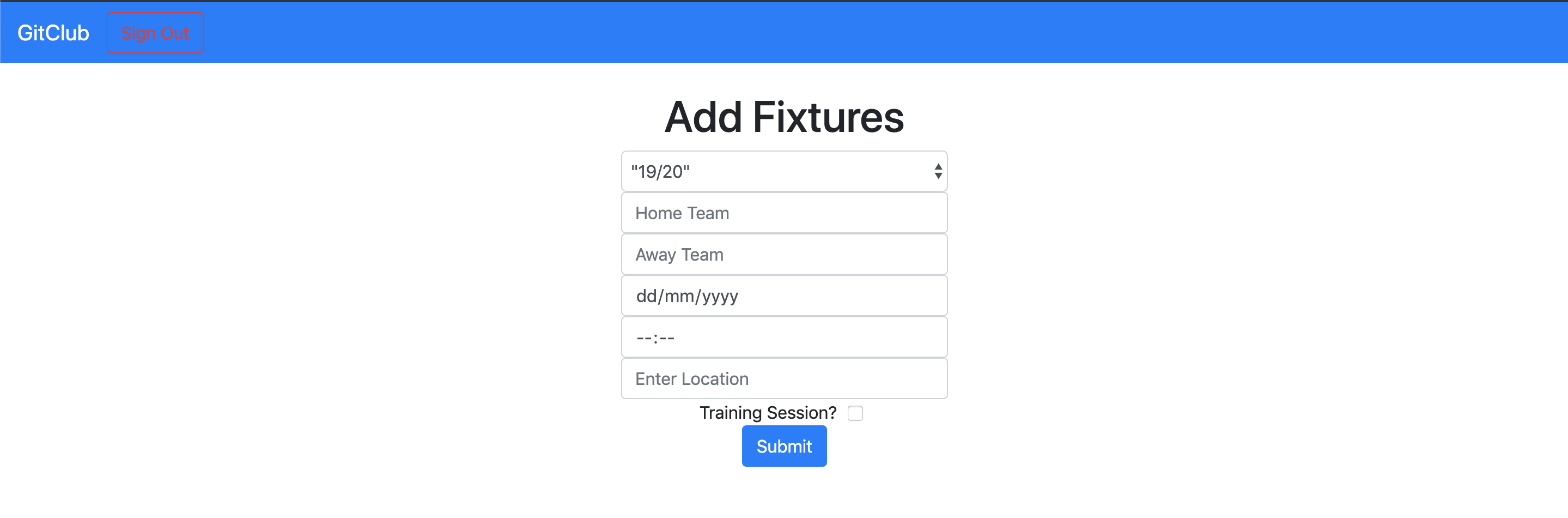
Our next feature was the ability to view upcoming fixtures and training sessions on the landing page. For this to happen we first need to add the ability to add fixtures. We started by planning out all the data we would need to be linked to fixtures; date, time, location and teams. We also added in the team id so fixtures could be linked to a certain team. We also added a tick box so training sessions could be added instead of actual fixtures.
Once we had it all planned out we created our Java class and repository, and the db migration to get the table set up in the database.
After that we added a new React page with a form on to collect the data. Then we used fetch to post the data to the api directly.
Once the data is added it looks like this in our database.
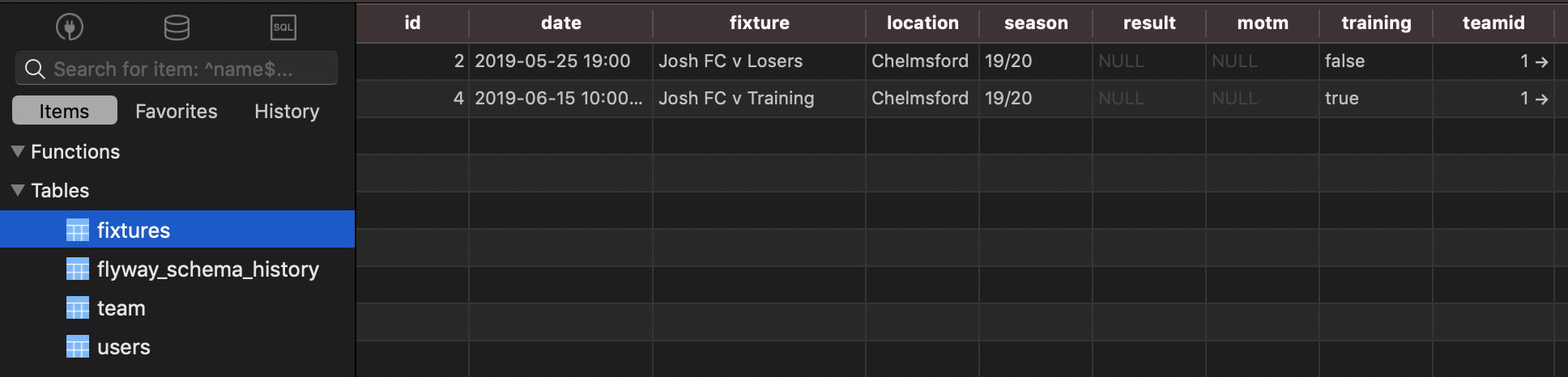
Result and Man Of The Match are things we want included but they are things that cannot be added until after a match has happened. Therefore we leave them as null, and we will use a PUT command to add that data in later on a different React page. At some point we want to take that location data and use that to pull weather forecasts for that area on that date.
I added some onClick and class magic to make the away team box disabled if you click the training box
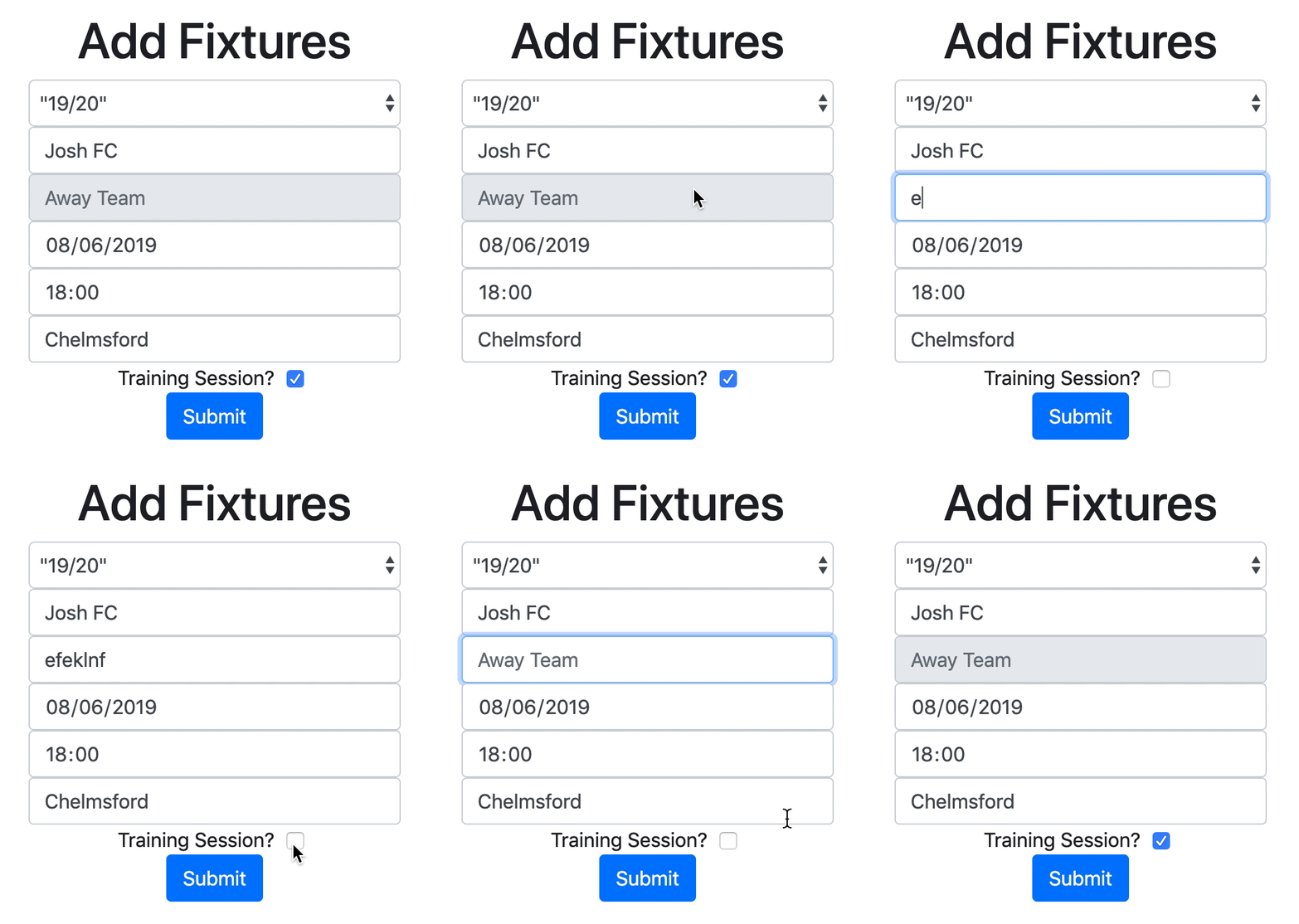
Even though the text isn’t removed from the box, if the training session checkbox is ticked, the request POSTed to the database does not include the away team field:
fixture: document.getElementById("home").value + (this.state.training ? ' Training' : ' v ' + document.getElementById("away").value),
This code is basically checking the status of our training flag (which is changed by the checkbox) and either setting the away team based on the form, or changing it to say training. You can see this in the database below. The fixture name is different for the line with the training flag set to true.

Tomorrow I want to change it so instead of entering the home and away team, you can tick a box to say if your team is home or away, then set the opponent, and based on what you tick it will change the order they are stored in!
Now we have data in the database we can display this on our landing page!
Todays song of the day

 Josh's Blog