

Beginning of the End
Final Project
This week we started our final project. We decided what we were going to be working on and what teams we would be in on Friday, and we planned out some of the basics, but today was the official start. That means that in less than 10 days I will be finished at Makers Academy. That is scary! I am not too nervous however. I feel Makers have given me an excellent education over the past 10 weeks, which will give me a strong foundation to further learning in the workplace. Alongside this, I know Tesco will support me every step of the way. They have already showed commitment to my growth by sending me on this course, and I know that when I come back people will be patient and supportive of me as I learn. This does really help ease the nerves, so now I am just looking forward to starting!
GitClub
For our final project, our team name is GitClub. Phil from the team came up with this pun, which I thought was brilliant, so backed it completely. That was by far the most important decision we’ll have to make for the project.
The project itself is a kind of event management app, focussed on football. I play 6-a-side on Mondays, and Sol in the team plays proper 11-a-side in a Sunday league, so he had a great idea to make the whole process of organising a team much more simple. It started off being an app to show all the fixtures, and allow team members to confirm which games they were coming to so a team sheet could be produced. Sol, Phil, Sean and I are on team GitClub working on this.
The Plan
On Friday, we planned out what we wanted to do. Starting from that original idea, we brainstormed what other features we would need, what tech stack we would use, what the minimum viable product would be etc.
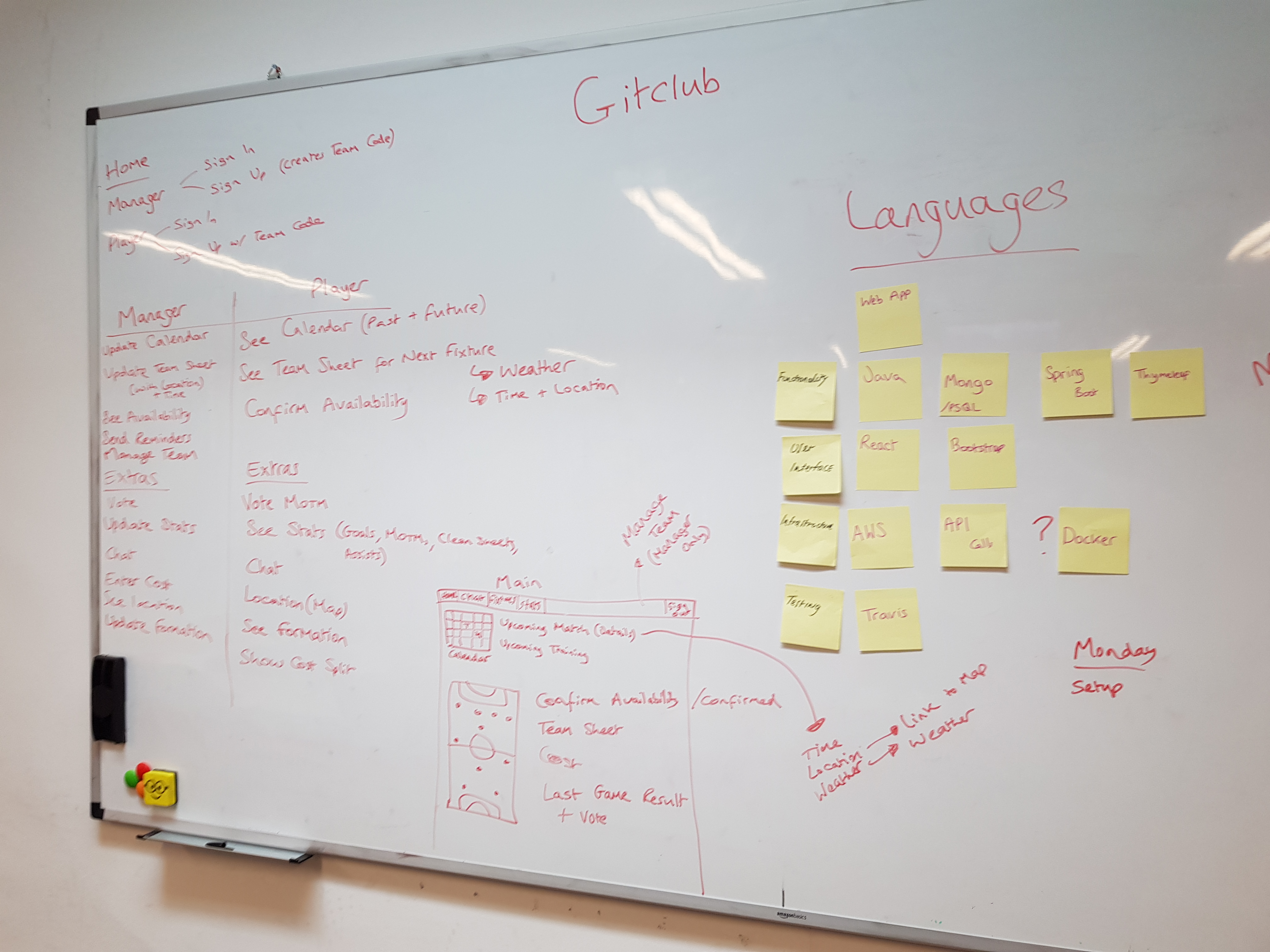
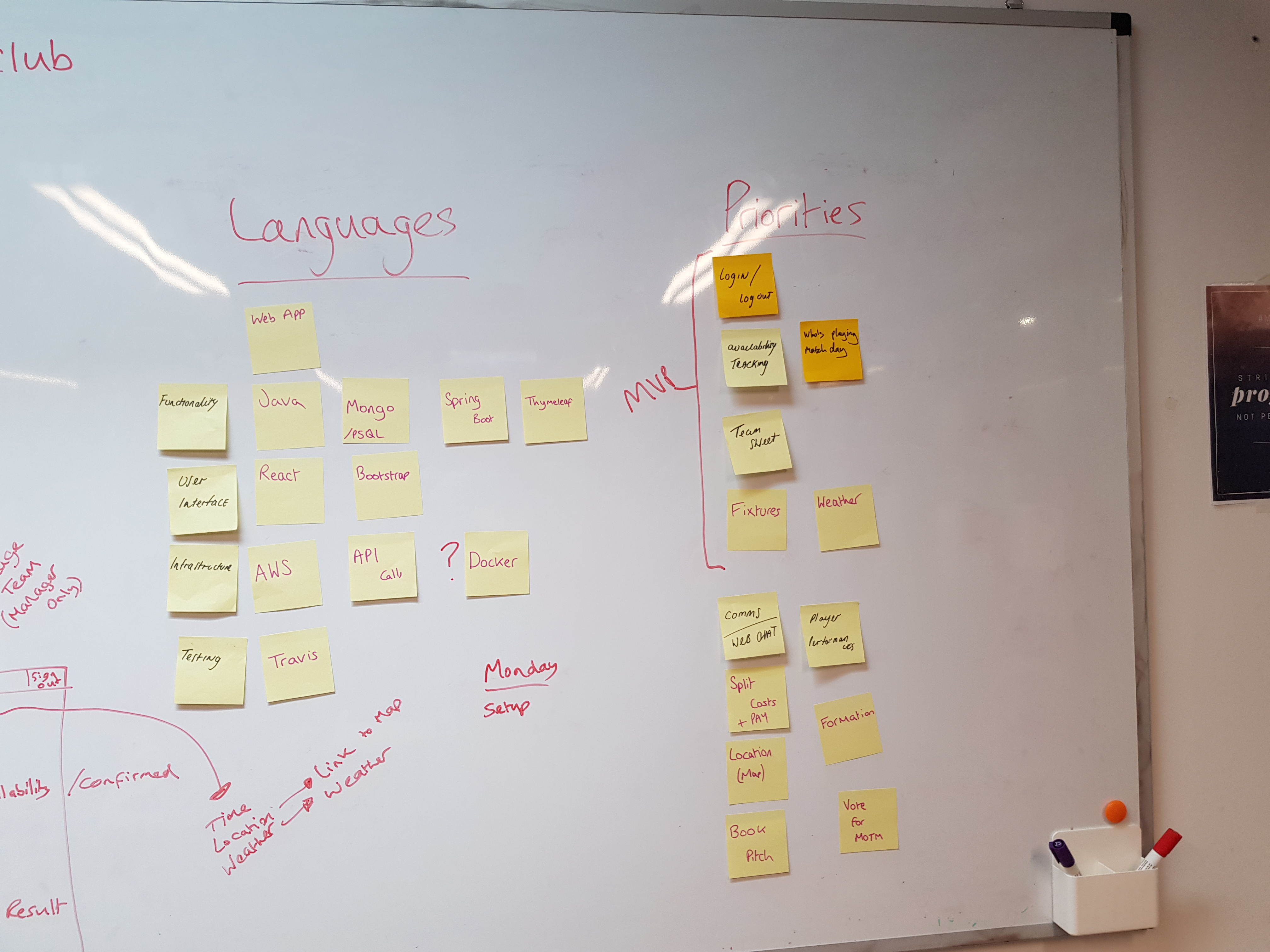
Here are the plans we drew up. Using this I created a Trello board to help us further track everything.

Today
Today we focussed on the start. Setting up our working environment and then getting the first feature done. We began with a new project in IntelliJ, then added our dependancies in to import all the Maven libraries we needed. Then we added a very simple Hello World page to check everything was loading.
Success! Our web app loaded and everything was underway.
After that our first feature we worked on was to add the ability to sign up as a user. For this project, you either sign up as a team manager, which generates you a team code, or you sign up as a player, where you have to input a team code. This means all the players for a team are associated with that team, setup by a manager. The manager can be purely a manager, or they can select a playing position if they play too. The original plan was to create a manager user first in the users database table, which generates a team code, and then that is used to create a team id in a team database table. This proved to be pretty much impossible, as you couldn’t generate the teamid without generating the whole class, or at least not in an easy clean way. Instead we created the team first, which generates the team id, which we can then retrieve and put into the manager object.
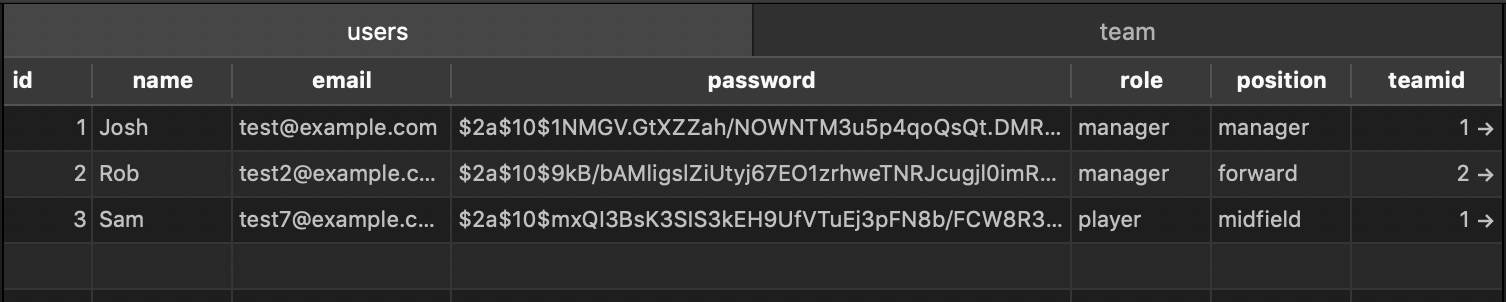

We used HTTP Sessions again to store the team name then use that to search the database for the ID. As the name is a Unique database field, there is no problem with using it to search for ID. Here is the code associated with this:
// Register as a Manager

// Creating the Team
@GetMapping(value = "/registerTeam")
    public String team(Model model) {
        model.addAttribute("team", new TeamForm(""));
        return "registerTeam";
    }

    @PostMapping(value = "/register/team")
    public RedirectView team(@ModelAttribute Team team, HttpServletRequest request) {
        teamRepository.save(team);
        HttpSession session = request.getSession();
        session.setAttribute("teamname", teamRepository.findByTeamnameIn(team.getTeamname()));
        return new RedirectView("/user/new/manager");
    }

// Creating the Manager User
 @GetMapping(value = "user/new/manager")
    public String user(Model model) {
        model.addAttribute("manager", new ManagerForm("", "", "", "manager", ""));
        return "registerManager";
    }

    @PostMapping(value = "user/manager")
    public RedirectView manager(@ModelAttribute Manager manager, HttpServletRequest request) {
        HttpSession session = request.getSession();
        Team team = (Team) session.getAttribute("teamname");

        manager.setTeamid(team.getId());
        managerRepository.save(manager);
        return new RedirectView("/");
    }
// Register as a Player
@GetMapping(value = "/registerPlayer")
    public String player(Model model) {
        model.addAttribute("player", new PlayerForm("", "", "", "player", "", ""));
        return "registerPlayer";
    }

    @PostMapping(value = "/register/player")
    public RedirectView player(@ModelAttribute Player player) {
        playerRepository.save(player);
        return new RedirectView("/");
    }
To make it easier to work with we borrowed some of the Bootstrap styling I had done for Acebook as a base for our web app, we will probably change this at the end given time! Here is a look through our pages, and the added users in the db.




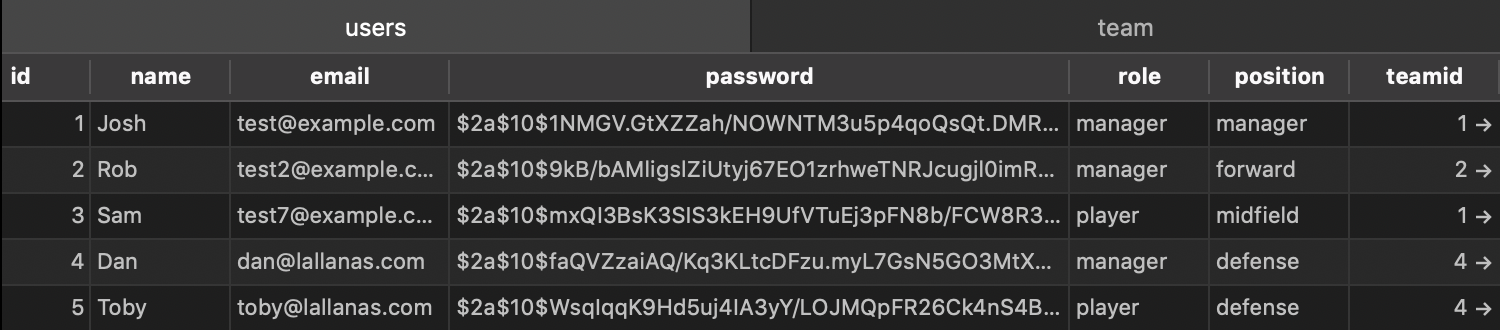
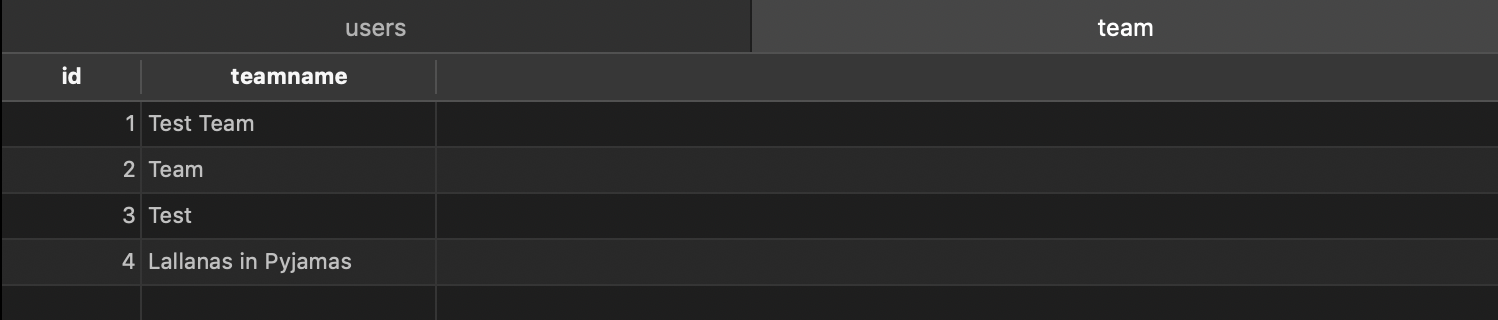
Other than some brief time spent on the database hold up, we managed to get through this fairly quickly, lots of it was quite similar to Acebook. Tomorrow we will add a way to sign in, then take the user to a landing page which will differ depending on if they are a player or manager, and be specific to their team,
Android Studio
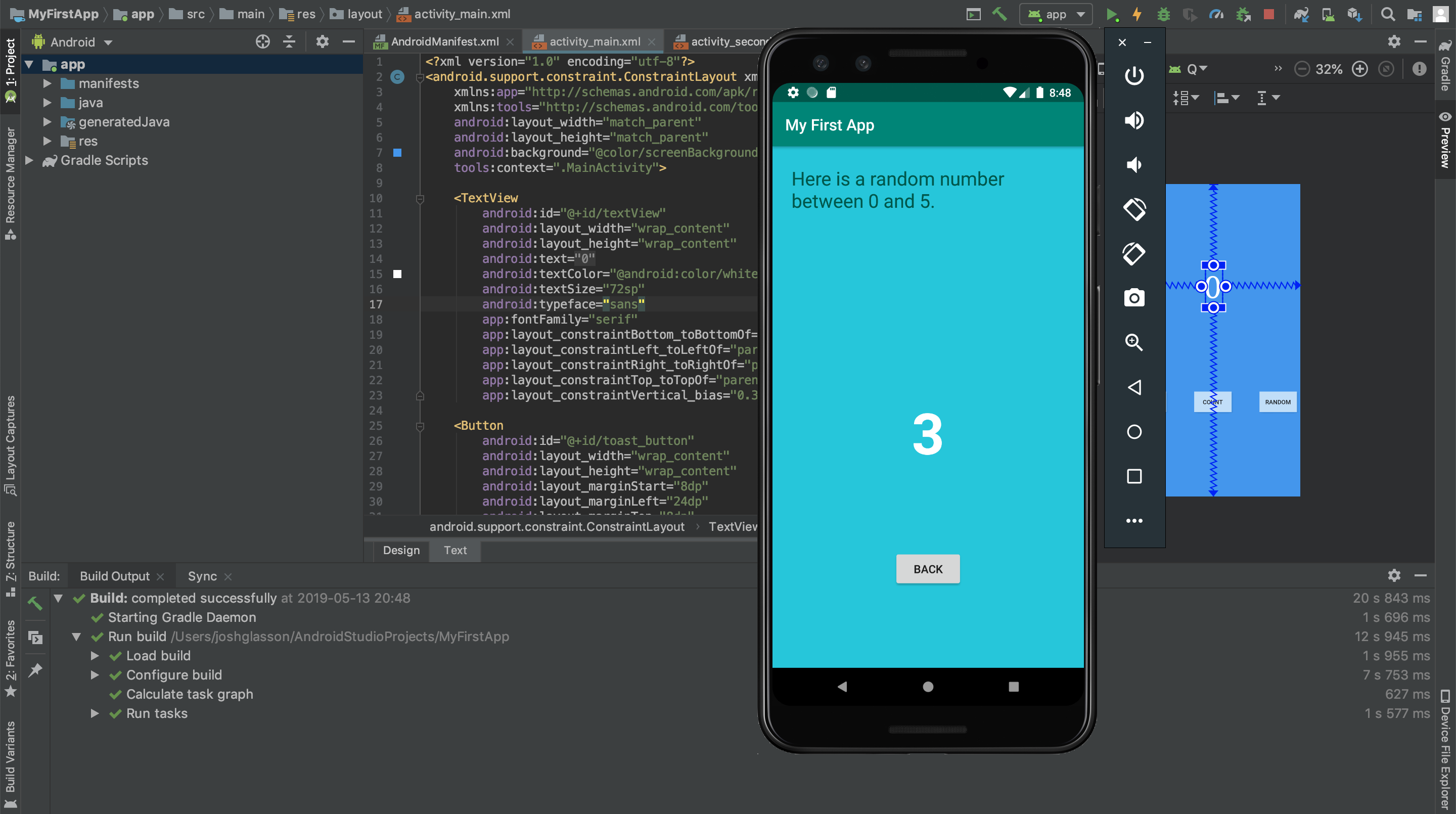
Over the weekend I tried to create a basic Android app, as I wanted to get the hang of it for some personal projects in the future. I followed this guide here on Google. It was very detailed and straightforward, so I got the app working in no time. It is cool as you can emulate an Android device to run the app. Android Studio is based on IntelliJ, so it is very similar to what we have been using recently. Also it is coded in Java, which makes it very recognisable.
Todays song of the day

 Josh's Blog