

Writing More Algorithms
Increasing Performance
I mentioned yesterday about how I wanted to move to array lists to make it faster to run our tests. I got it working last night and wanted to measure this this morning. So I added some system print outs to the code to track what was going on. At the moment we are only running it with a fairly small array size:

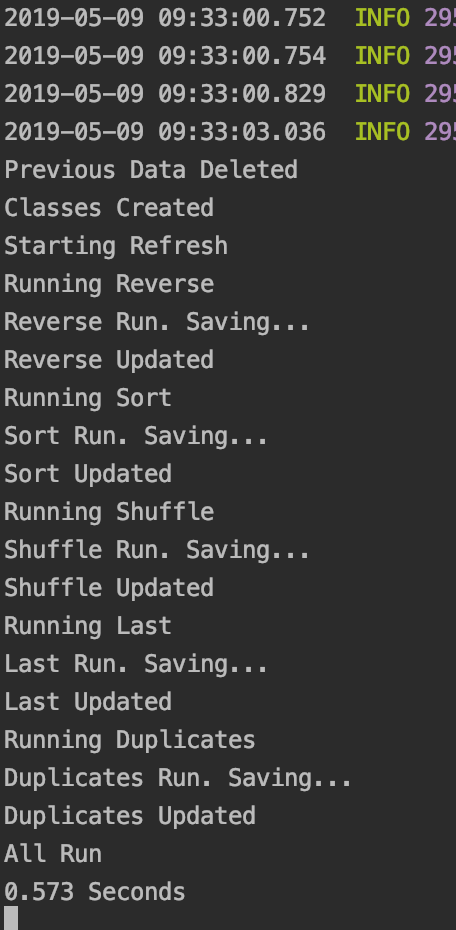
As you can see it is running pretty damn fast now. So to test it even further I upped the array sizes, going from 5,000 to 100,000 in 5,000 increments:
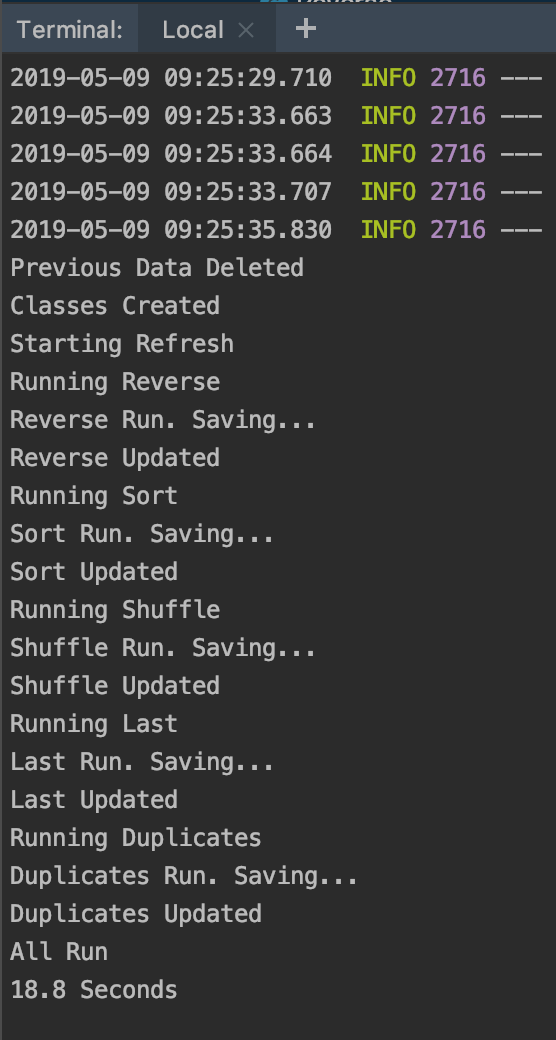
Takes a little longer but still pretty quick considering what it is doing! Most of that time is spent on the Duplicates algorithm too, so that tells me that particular one could be improved. Stopping the clock before starting the duplicates update shows that it only takes about 1 second for the others to run!
Here is how one of the graphs looks with the bigger data set.
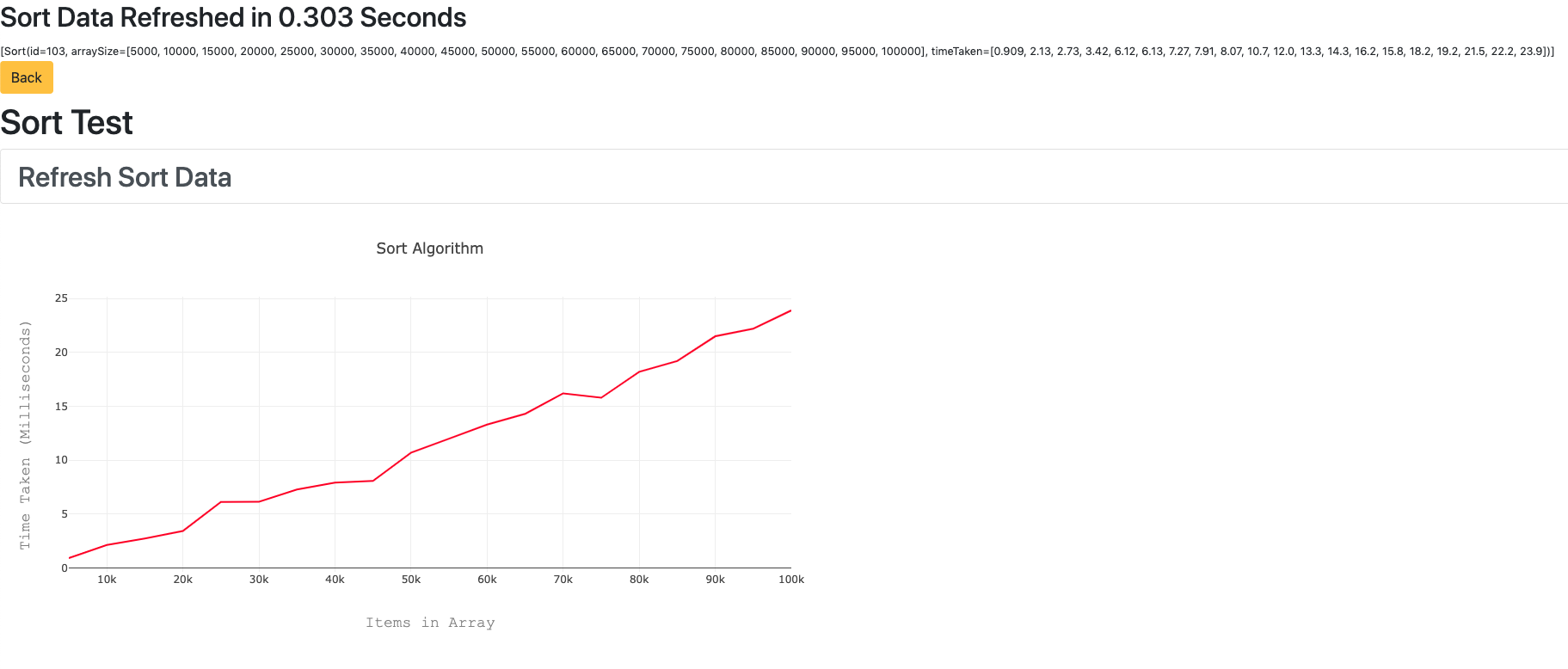
In comparison, here is how long it took yesterday with the old array code. This is running the first array from 10 to 10,000. I would compare with the bigger array but it just crashes the app, which should tell you enough about how efficient it is!

Almost 2 minutes compared to just over half a second! It’s more than 200 times faster using the new array list method.
Optimisation
Our duplicate algorithm is more complex than the others, which is why it takes longer. Here it is:
    static String duplicates(Object[] array) {
        ArrayList b = new ArrayList();
        for (int i = 0; i < array.length; i++)
            for (int k = i+1; k < array.length; k++)
                if(array[k] == array[i]) {
                    if(!b.contains(array[k])) {
                        b.add(array[k]);
                    }
                }
    return Arrays.toString(b.toArray());
    }
It uses two nested for loops in the code, which makes it O(n²). To make it quicker it would need to be O(n). So I took a look at the code and realised that having two loops was completely unnecessary, all the second loop was doing was exactly the same as the first one, but with the next element in the array. Knowing that I replaced it with this:
static String duplicates(Object[] array) {
        ArrayList b = new ArrayList();
        for (int i = 0; i < array.length - 1; i++)
            if(array[i+1] == array[i] && !b.contains(array[i])) {
                b.add(array[i]);
            }
        return Arrays.toString(b.toArray());
    }
This runs ridiculously faster, to the point where increasing the array size to 1million has very little effect. It still runs it in around 2 seconds, way better than the 18 seconds from before.
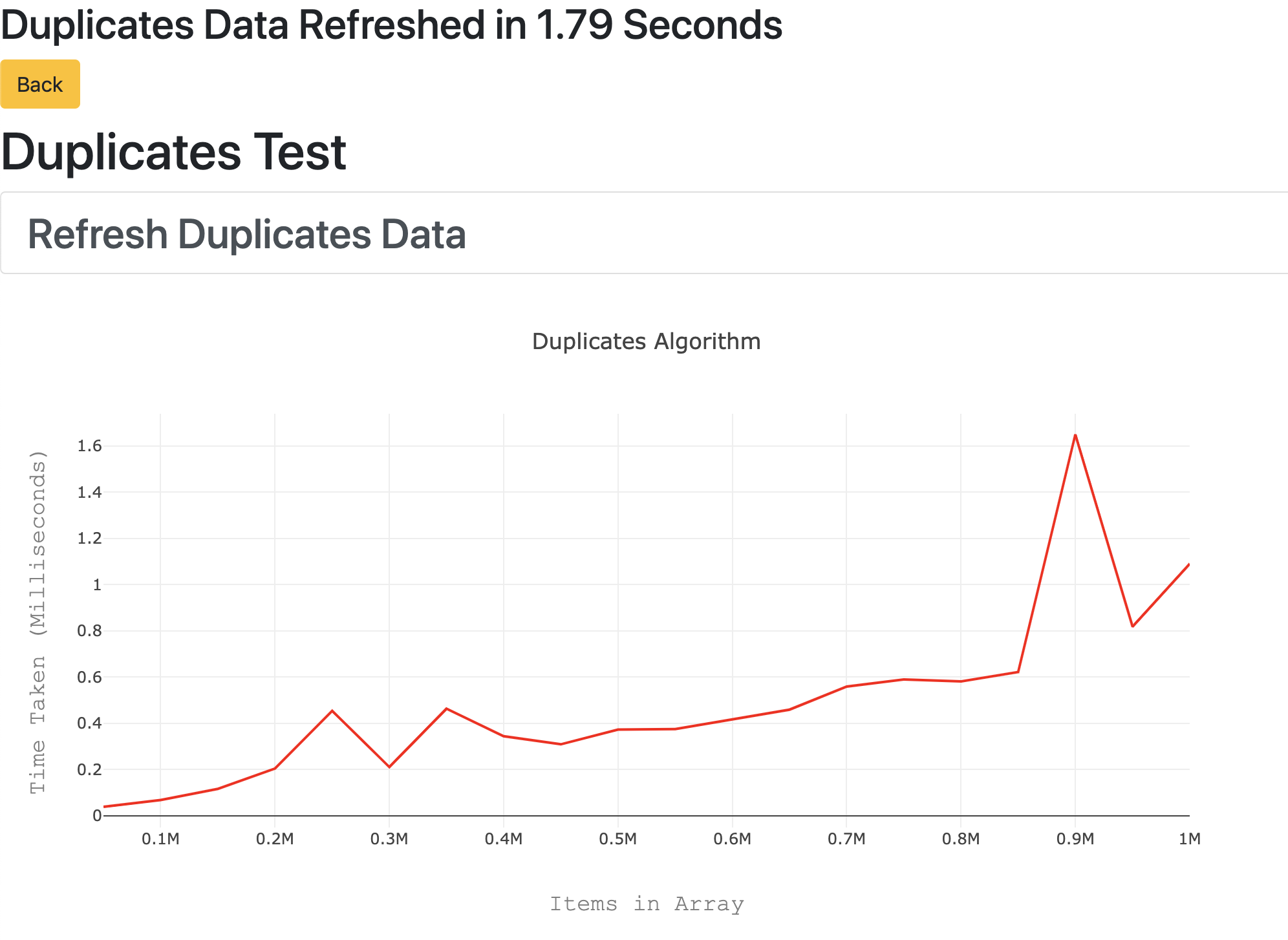
Since I increased this one to 1m, I decided to do the same for all of them. I also added a graph to compare all the results to the homepage. Refreshing all of them now takes between 10 – 15 seconds, which is still less than refreshing the Duplicates algorithm on its own before, despite our arrays now reaching 1million!
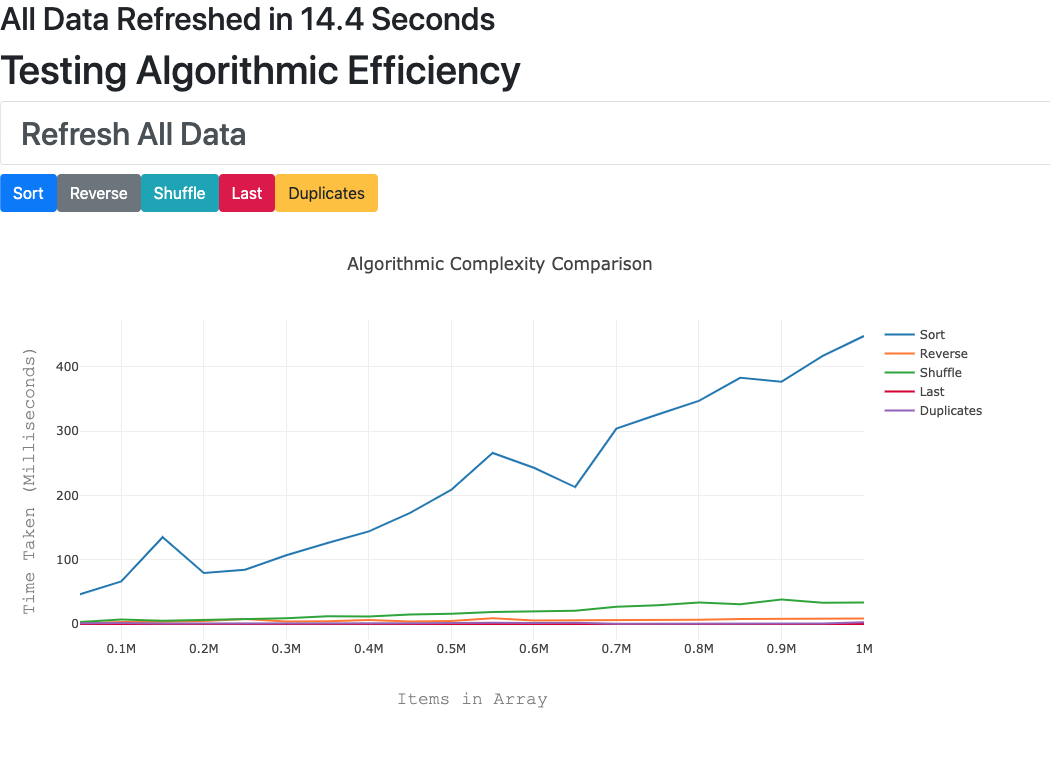
As you can see now, Sort is by far the slowest, so we may want to look at improving this algorithm too.
Travis and Heroku
Just to give myself a bit more practice with it, I decided to add Travis CI to the repo and then deploy it to Heroku if the checks passed. Here is the current build status.
Build Status:

And here is the app on Heroku. The individual pages might be blank at first, you have to run the refresh all first once to give it data to populate the graphs, then the pages will show up! To do this go to https://still-cliffs-71498.herokuapp.com/all
Bootstrap Practice
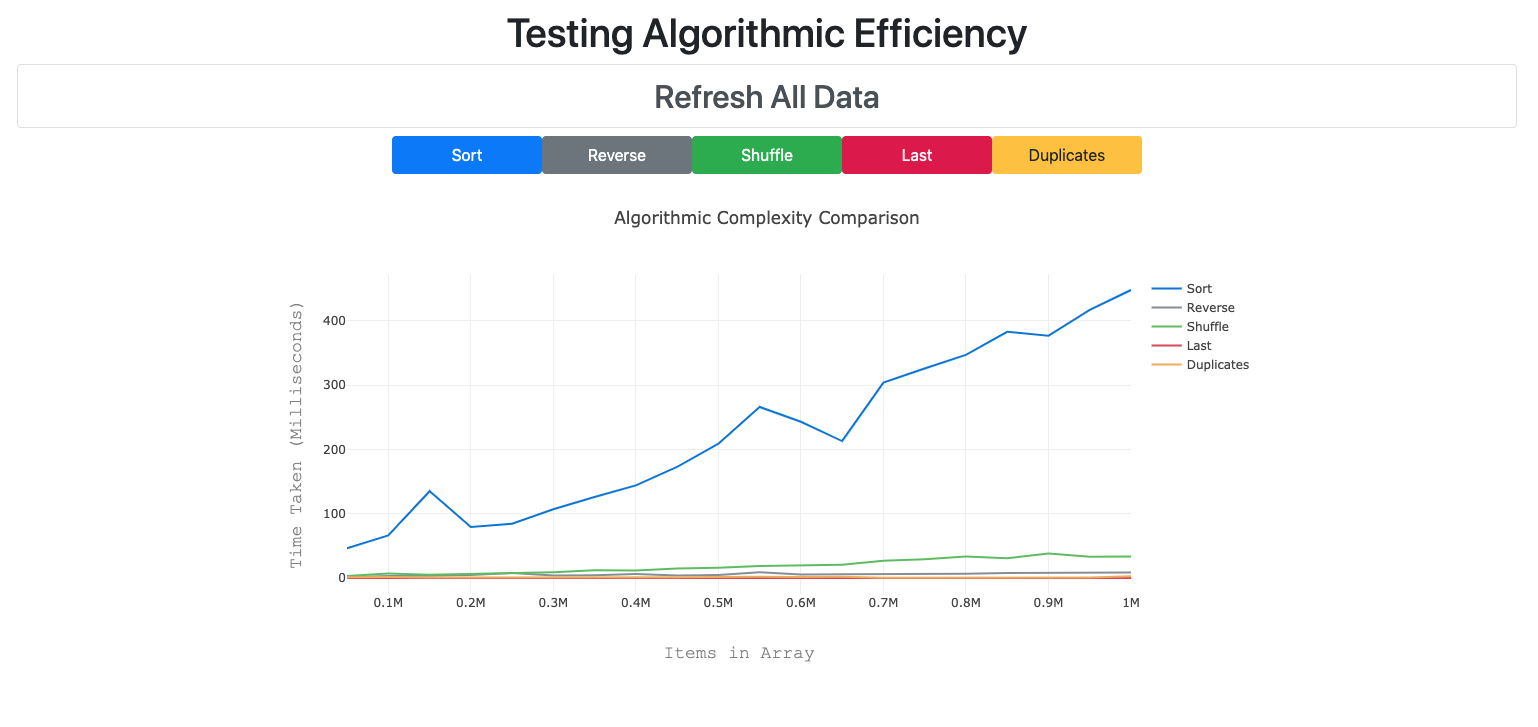
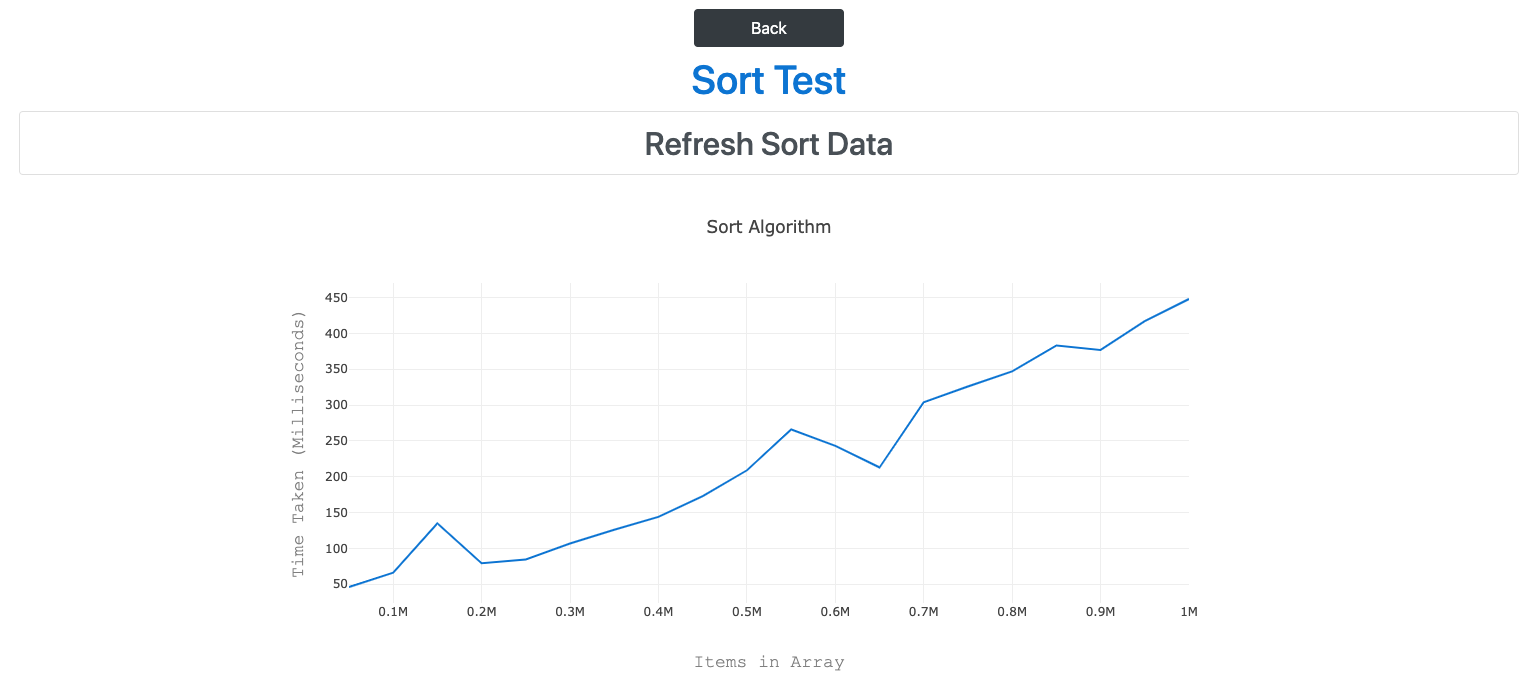
I have used a lot of Bootstrap in this app just to make it look nice! I updated the graph colours to match our buttons:

I also mentioned yesterday that I disabled all the buttons after you press refresh. I also today added a loading wheel after you press it.
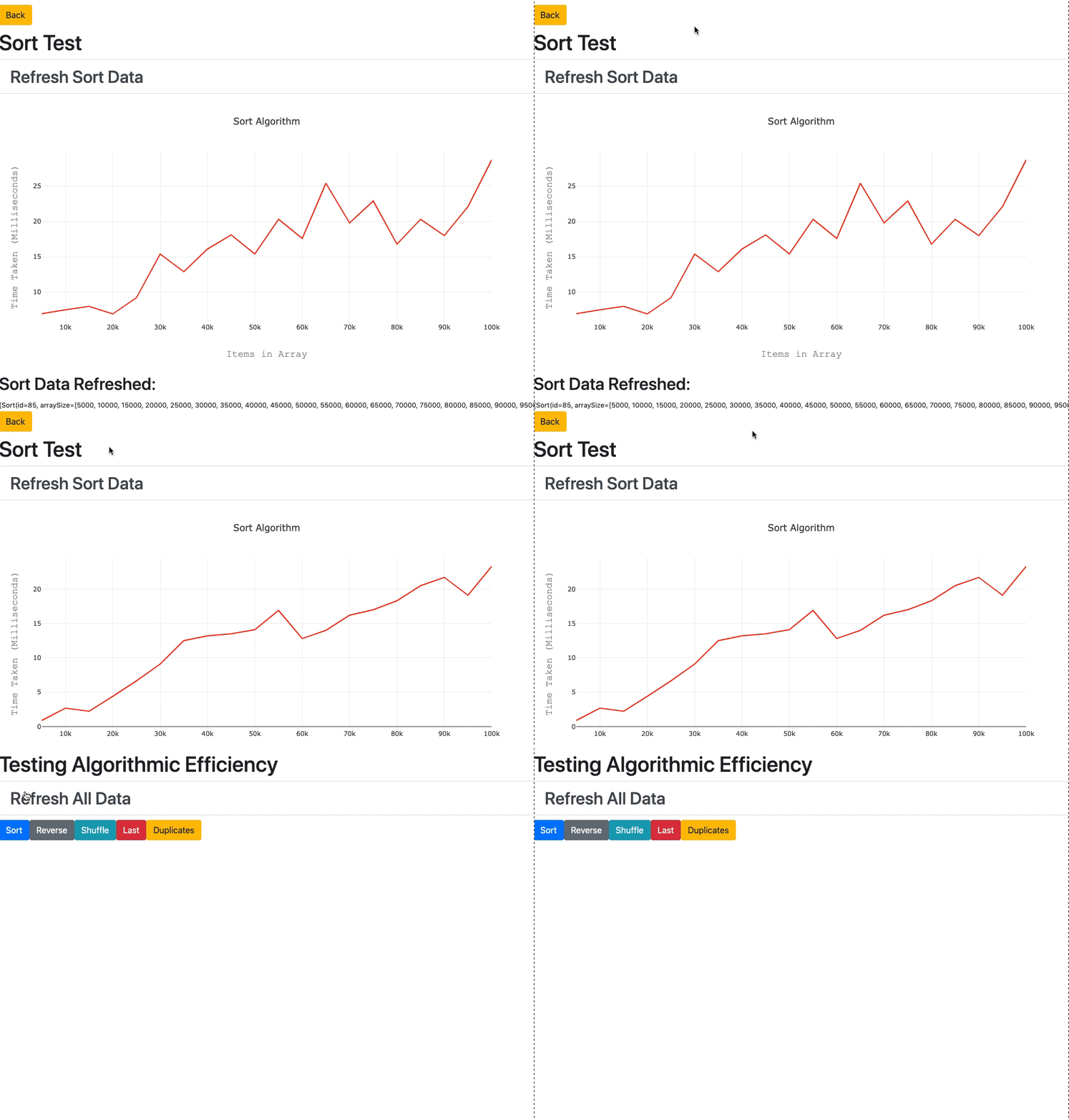
I did both of these using the same trick. In my JS file, I have two states called class and disablebuttons. By default these are set to “list-group-item list-group-item-action” and “” respectively. Once I click the Refresh button, the onClick method sets them to “spinner-border text-primary” and ” disabled”. This is useful because for my Refresh link, I can set the class to this.state.class which by default is a normal button, but when clicked changes to the spinner. Likewise, I can add the disablebuttons class onto the end of my button class to disable it once clicked:
class={"btn btn-primary"+this.state.disablebutton}
Because the page reloads after refreshing, the states are set back to their original values, so there is no need to change the class back manually.
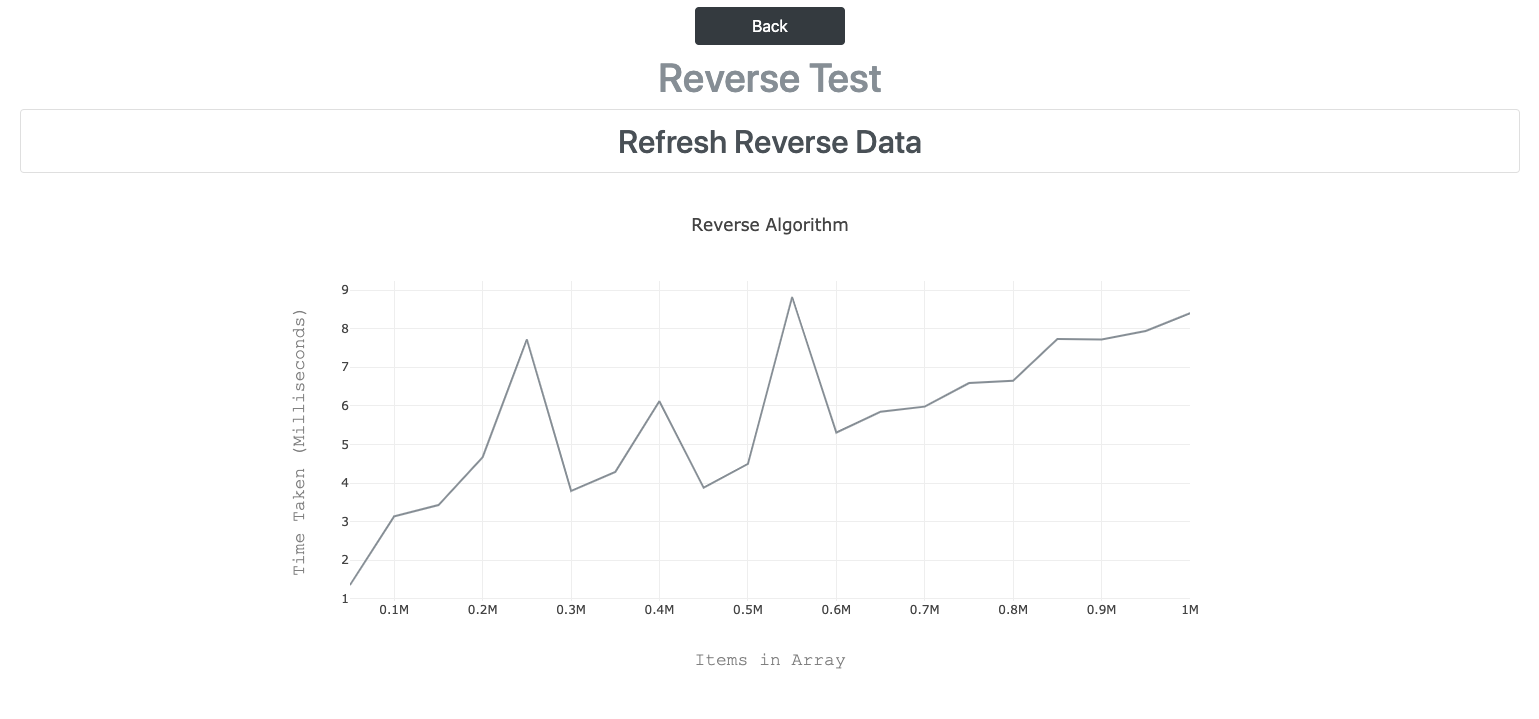
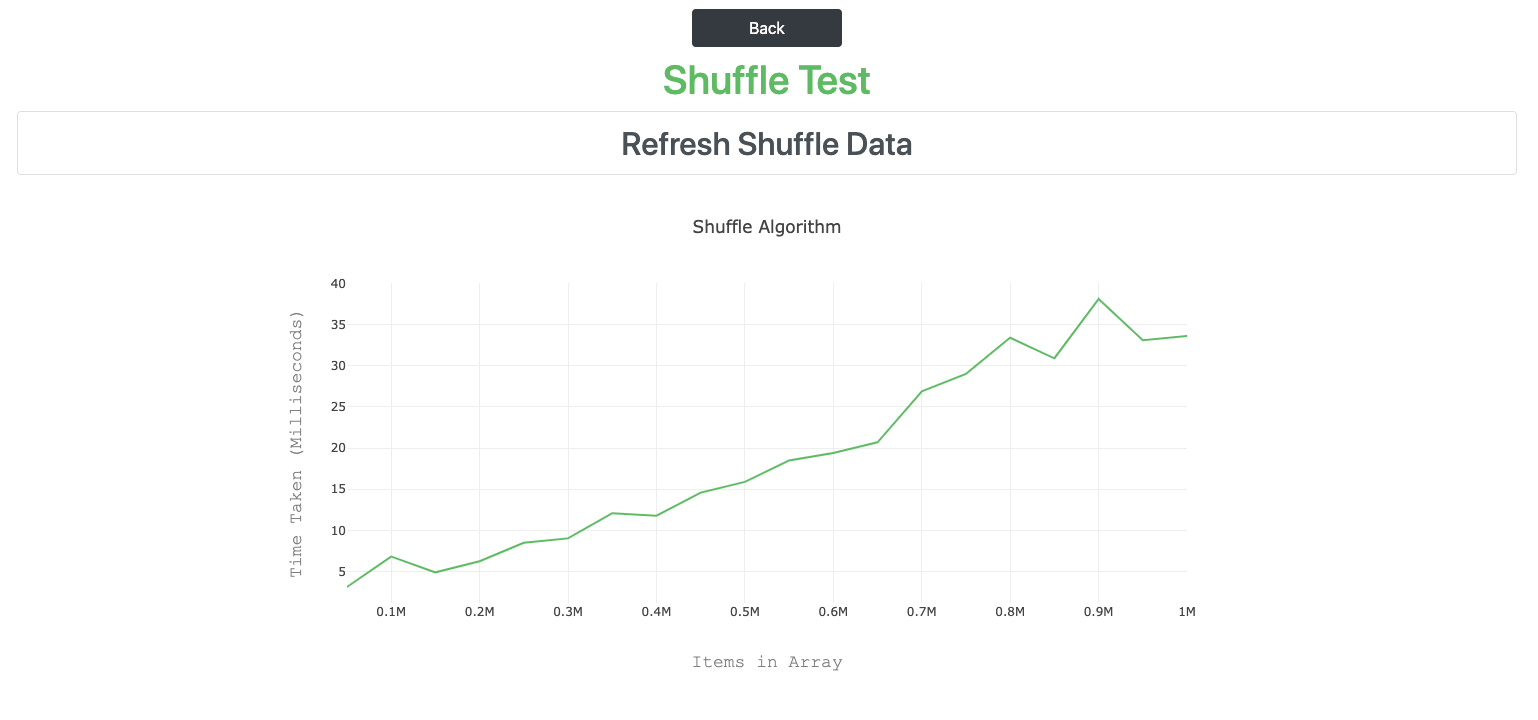
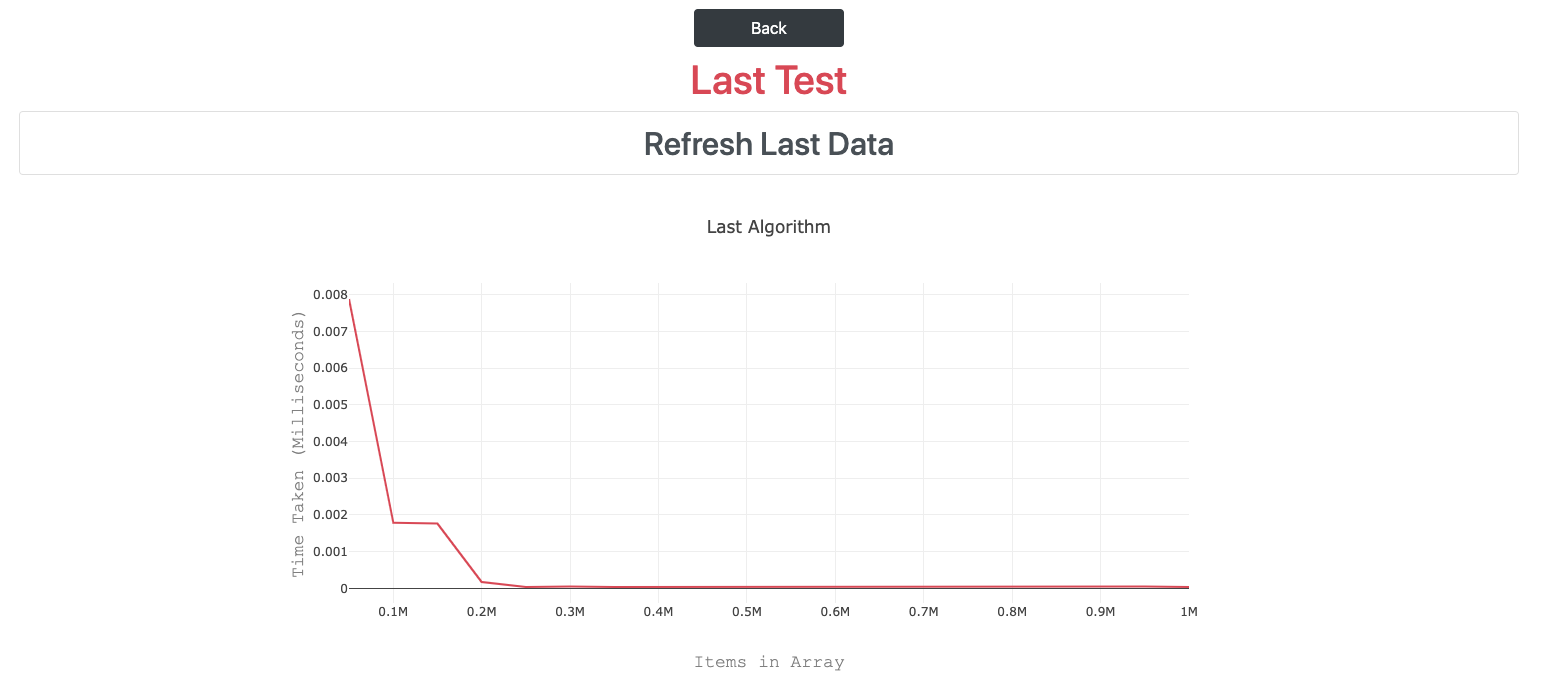
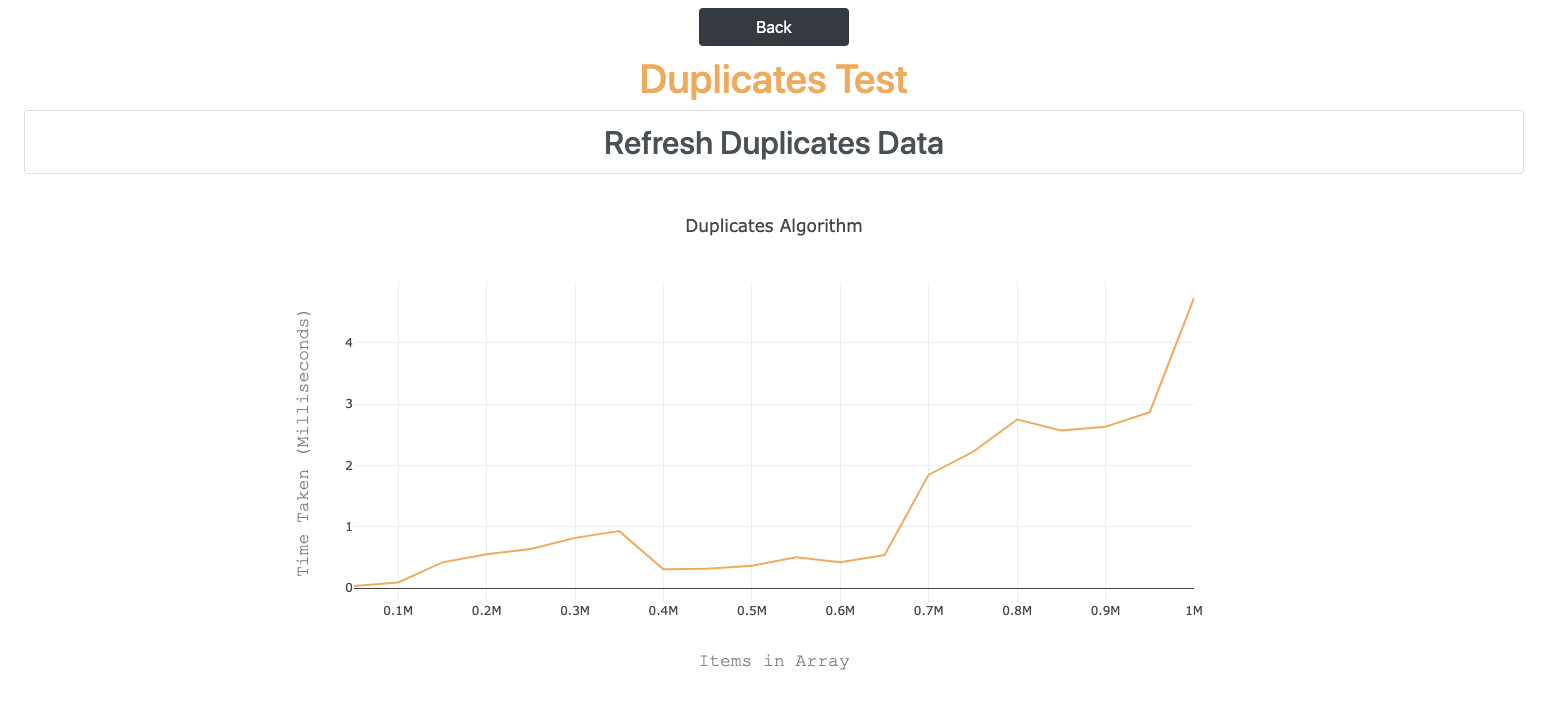
I made some more style changes to make look as nice as possible! Here are all the pages.
Todays Song of the Day:

 Josh's Blog