

Algorithms
What is an Algorithm
This week we are focussing on complex algorithms. Algorithms are a key part of everyday life, not just in terms of computing, but everything we do. The simplest definition of an algorithm is:
“A set of steps to accomplish a task”
So really lots of things could be classed as an algorithm. Having a bowl of cereal for example:
- Pour cereal into bowl
- Pour milk onto cereal
- Eat
This video was shown to us by Makers to give us a bit more of an explanation in a computing sense. There is a delicate balance when it comes to algorithms between Correctness and Efficiency. You could produce an algorithm that is 100% correct, but takes a year to run, or one that is 80% correct but takes 10 minutes.
When measuring the efficiency of an algorithm, there are a lot of factors that can have an effect. Running an algorithm on a high end gaming PC will be quicker than running it on an old phone, so to make it more accurate, factors like this are taken out. This is known as Asymptotic Analysis. With Asymptotic Analysis the extreme results are tested, getting closer to infinity.
Asymptotic analysis is input bound i.e., if there’s no input to the algorithm, it is concluded to work in a constant time. Other than the “input” all other factors are considered constant.
https://www.tutorialspoint.com/data_structures_algorithms/asymptotic_analysis.htm
Big O Notation
Another way of talking about this is Big O Notation:
Big O notation is a mathematical notation that describes the limiting behavior of a function when the argument tends towards a particular value or infinity.
https://en.wikipedia.org/wiki/Big_O_notation
This video explains it very well, including a story about data transfer over the internet vs carrier pigeon. The carrier pigeon won by miles, which highlights why Big O Notation is important. The carrier pigeon (assuming it can carry the USB stick) will always carry the data at the same rate. It doesn’t matter how much data is on the stick, it will always be transferred at the same rate. This is referred to as O(1). Here is a breakdown of the different types:
O(1) – always executes in the same time no matter the size of the data.
O(n) – performance grows in line with the size of the data.
O(n²) – performance is directly proportional to the square of the data.
More explanation of those is here.
Algorithmic Testing Framework
In the afternoon we started work on writing our own tests for algorithms. We started by writing a Sort function, with a timer added in to mark the start and end time, and display that with a System print out. Then we worked to add this into a web app so we could integrate it with a graph on plot.ly. To do this I used a similar method to what we had used on Acebook and then use the API to manage my information. I had a little problem getting my results into the database. At first I was adding each result in individually, but to plot a graph I needed them to be in an array. Then trying to add the array to the db, I had to find the right data type. In the end I found bytea.
bytea – The BYTEA data type stores a binary string in a sequence of bytes. It is the Postgres version of VARBINARY.varbinary – used to store large object data types.
Knowing this, I can now run my sort with different sized arrays, from 10 to 8000. I can time each one and put that into another array. Now I have my array size and times in two arrays which I can use as x and y axis on a graph. Below is how the data comes back from the database.

and this is how it looks in OpenTable:
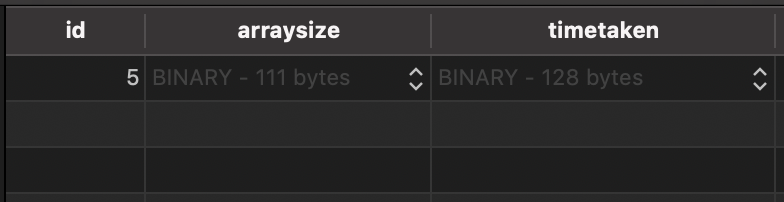
Tomorrow I am going to attempt to make a call to the API in React and use the two data sets to plot my graph, so fingers crossed I can get that to work!
Todays song of the day:

 Josh's Blog