

Finishing Acebook Functionality
Users Can Only Like Posts Once
Today we tackled the final bit of functionality for the project, the ability to only like posts when signed in, and only like a post once per user.
We were thinking this would be tough, but I didn’t expect it would take us all day!
Basically we wanted our React app to post and receive information to a database to check whether a user had liked a specific post. The table was simple, it only had 3 columns, id, userid and post id, linked to the user and post database tables. This means we would need our post id and user id available in our JavaScript page to perform the checks and store in the database. Post was already available, as the React app already renders all the posts and we had used this before.
User on the other hand we didn’t have. To get this, we added a model to our index page which retrieved the current user session we created yesterday, converted back to a User object, and then retrieved the ID. Then we retrieved that model in our index.html page using Thymeleaf and assigned it an html id. This allowed us to access it in React.
Now we could pull this through into our post.js page, which is where the posts are built by React to be rendered. We added three new states to the class in here, userid, toggle, and likeid. userid was of course our user id of the user who was currently signed in. It was easy to get as this is what we pulled through . toggle was set to true or false depending on if the user had already liked a post. It was set for each post individually using a search in the api. likeid retrieved the id of a like, which we needed for removing likes later on. We did this using the same method as we did for getting post id before, except it was a much longer process! We also had to search the database by user id and post id to get the right like id.
Clicking the Like button ran a method called Likes() and toggled the button text between like and dislike, which depended on the toggle variable.
The Likes() method was more complex. It started with a bit of code to stop people pressing the button if they weren’t logged in:
if(this.state.userid !== "") {
// Do the code
}
Then came the complex code! Firstly we checked the toggle variable. If it was true, that meant that the user had liked the post previously, if it was false they hadn’t.
if(this.state.toggle) {
  // Delete like from db associated with user and post
} else {
  // add like to database with userid and postid
}
As we were dealing with a database, we had to make calls to the API to manage it. For deleting the likes, we had to go to api/likes/{like id} to delete it. In order to do this, we used the following code:
// GO TO API AND GET LIKE ID BASED ON USER ID AND POST ID
client({method: 'GET', path: '/api/likes/search/findByPostidAndUserid?postid='+ this.id +'&userid='+ this.state.userid}).then(response => {

// SET LIKE ID TO THE ID RETRIEVED
this.setState({likeid: response.entity._embedded.likes[0]._links.self.href.split("/")[response.entity._embedded.likes[0]._links.self.href.split("/").length-1]})

// SEND DELETE REQUEST FOR THAT LIKE TO THE API
fetch('/api/likes/'+ this.state.likeid, {
     method: 'DELETE'
     headers: {
          'Accept': 'application/json',
          'Content-Type': 'application/json',
               },
          })
});
The first bit of code goes to our API and searches by Post ID and User ID to see if there are any likes that match both criteria.
The second bit of code then takes the information that comes back, which is in a URL, splits it into an array, and takes the last bit of info from the array and sets that to the Like ID. The last bit of info will always be the ID.
The third bit of code sends a Delete request to the API to that specific link, which removes it from our database!
Finally after that, a bit of code removes the like from another array we have that keeps count in our JavaScript app:
this.state.likes.splice(this.state.likes.indexOf(this.state.userid));
If we were adding a like to the database, we did the following:
fetch('/api/likes', {
    method: 'POST',
    headers: {
      'Accept': 'application/json',
      'Content-Type': 'application/json',
    },
      body: JSON.stringify({
      postid: this.id,
      userid: this.state.userid,
    })
})
This went to our api/likes and POSTed a new entry, with the postid and userid variables set to the states we had made earlier! Then we put that into the counting array to look nice:
this.state.likes.push(this.state.userid);
Finally we ran a piece of code that flipped the toggle from true to false for that post, or vice versa:
return this.setState(state => ({toggle: !state.toggle}));
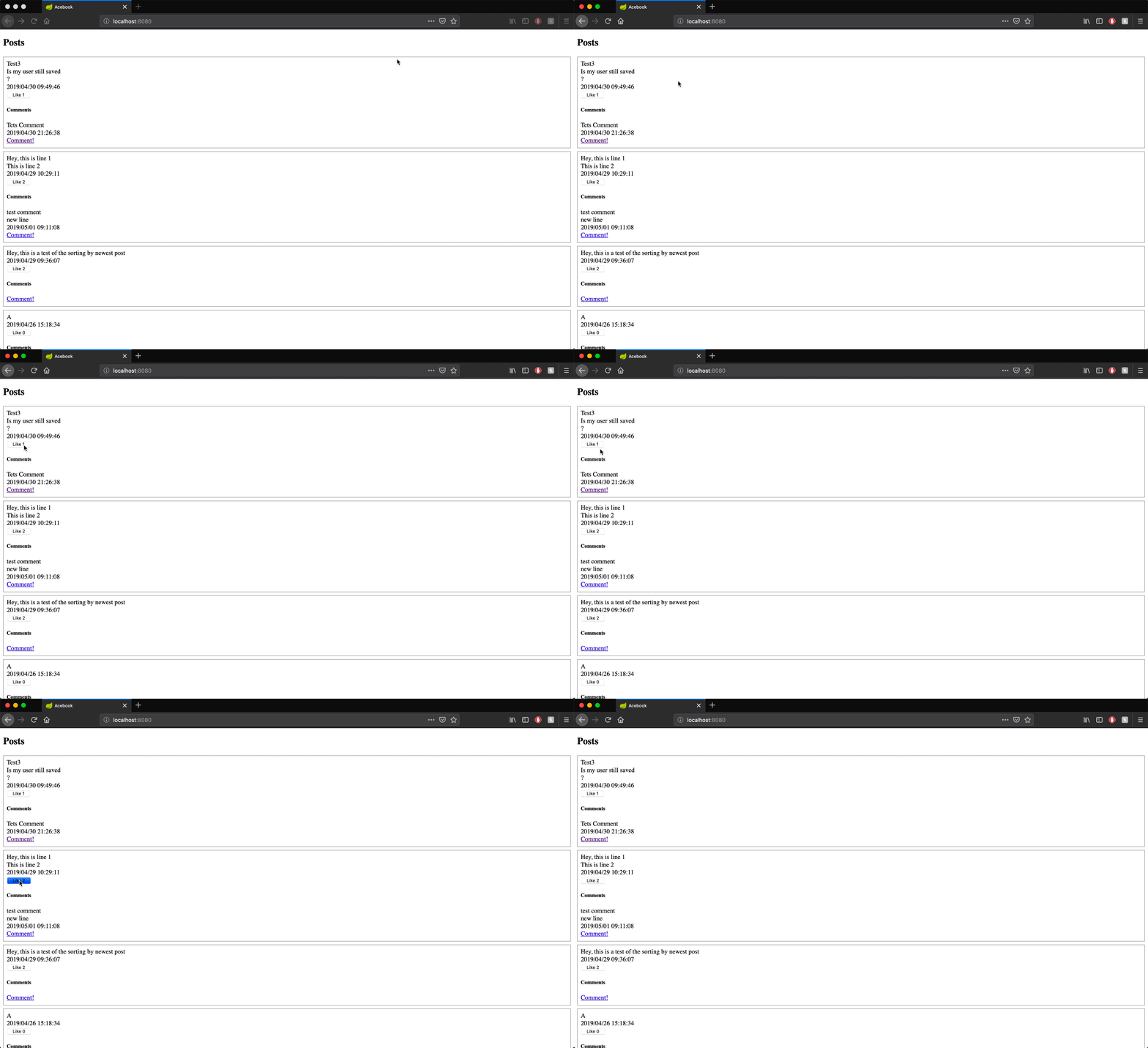
Here it is in action. Firstly, this shows you cannot like a post if you are not logged in:
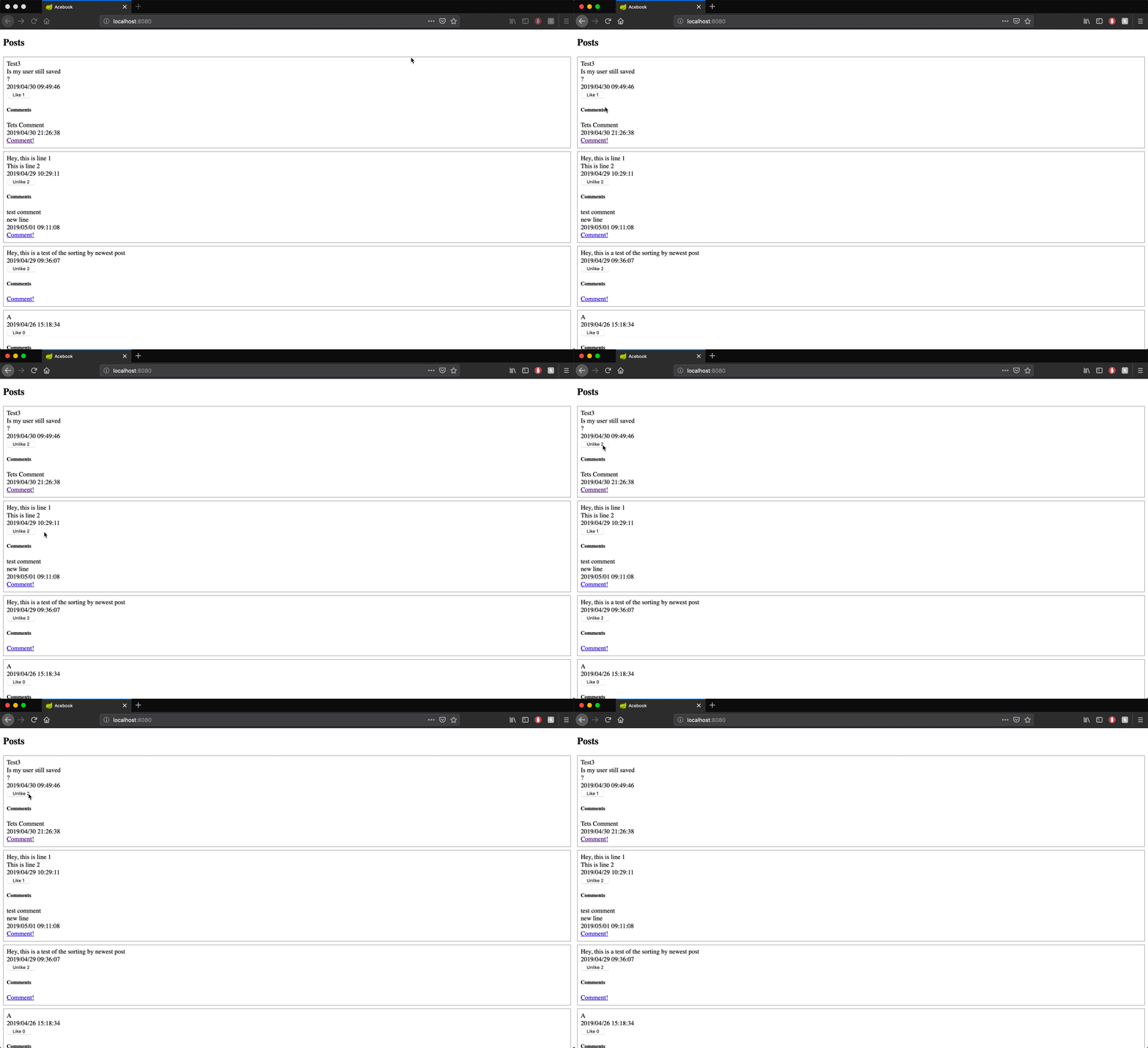
And this shows when you are logged in, you can like posts and unlike them, and it remembers posts you’ve liked before:
Tomorrow we will work on making it look nicer and navigate more like a proper website!
Git Branches
Yesterday was the first time we properly used branches in git for a project. I think I have explained branches before so I won’t go into it too much, here is more info if you want it!
We used branches so we could develop our comments and likes features outside of the master branch. This way we knew the build deployed to Heroku and checked by Travis was not affected by any changes we made to get comments and likes working. Once we were happy with our changes we merged the branch into master to bring it up to date.

Here is the status of our current master build:
Build Status:

Todays song of the day:

 Josh's Blog